Best AI Music Video Creation Stack in 2026: Song, Visuals, Lip Sync, and Editing
An AI music video is a chain of decisions: song, concept, storyboard, hero shots, lip sync, edit, mix, and rights review. The strongest tool for one stage may be wrong for the next.
In 2026, a practical stack might combine Suno v5.5, Google Lyria 3 Pro, or ElevenLabs Music v2 for authorized music creation; Kling 3.0, Seedance 2.0, Veo 3.1, Runway Gen-4.5, or Luma Ray3.2 for visuals; HeyGen Avatar IV or Hedra Character 3 for lip sync; and a conventional editor for final assembly. Anime creators can use Elser AI to connect character, comic, storyboard, video, lip-sync, music, voice, and sound workflows.
This guide reflects officially documented product status on July 22, 2026. It does not assume that every announced feature is generally available, and it does not present vendor claims as independent benchmark results.
The recommended stack by stage
Music and song development
- Suno v5.5: personalized music creation, Voices, Custom Models, and My Taste in the current Suno product.
- Google Lyria 3 Pro: longer structured tracks, including control over sections such as intro, verse, chorus, and bridge; some business access is labeled public preview.
- ElevenLabs Music v2: section-by-section song construction, improved vocals and arrangements, and products aimed at creators, APIs, and branded content.
Story and preproduction
- A language model such as GPT-5.6 Terra for everyday briefs, scripts, shot lists, and storyboard descriptions.
- GPT-5.6 Sol for complex narrative, continuity, and production audits.
- Elser AI for an anime-first character and storyboard workflow.
Cinematic video generation
- Kling 3.0: multimodal scenes and native audio.
- Seedance 2.0: generation or editing from text, image, video, and audio in supported products.
- Veo 3.1: cinematic video, audio, and reference-guided controls.
- Runway Gen-4.5: generation inside a broader production environment.
- Luma Ray3.2: multi-keyframe, video modification, reframing, HDR, and professional control.
Lip sync and performance
- HeyGen Avatar IV: stylized, 2D, 3D, non-human, speaking, and singing characters.
- HeyGen Avatar V: real-person digital twins with consent and verification.
- Hedra Character 3: direct image-and-audio talking or singing character animation.
Editing and finishing
Use the editor you already know. AI generation does not replace timing, color matching, compositing, typography, sound mixing, captions, and export quality control.
Stage 1: decide whether you need AI-generated music
If the artist already has a finished song, do not regenerate it. Obtain the final master, instrumental, vocal stem, lyrics, tempo, time signature, and rights information. A clean vocal stem is especially useful for lip sync.
If you need original music, choose the generator by creative requirement.
Suno v5.5: best for personalized song creation
Suno released v5.5 in March 2026. Official materials describe it as the company’s most expressive model and introduce Voices, Custom Models, and My Taste. Voices uses a verification process and is private to the user; Custom Models allow eligible subscribers to tune the system toward their own original catalog.
Suno suits creators who want a complete song and personalized musical identity. Verify plan requirements and upload only authorized recordings.
Google Lyria 3 Pro: best for structured prompting and Google workflows
Google describes Lyria 3 as its most advanced music model family, with text and image-driven creation, vocals, multiple languages, and SynthID watermarking. Lyria 3 Pro supports tracks up to three minutes and greater structural direction, including named song sections. Google announced it across Gemini, Flow Music, APIs, Vertex AI, Google Vids, and other products, with some availability labeled public preview.
Use Lyria when detailed composition instructions and Google’s creative ecosystem fit the project. Check the exact surface, because consumer, developer, and enterprise access are not interchangeable.
ElevenLabs Music v2: best for section-by-section construction and production use
ElevenLabs introduced Music v2 in May 2026. The company says it improves vocals, instrumentation, arrangement, multilingual support, and section-by-section song building. It powers ElevenMusic, ElevenAPI, and ElevenCreative, which target different workflows.
It is practical for creators, developers, and brands needing production integration. Review licensing for the intended distribution channel.
Stage 2: write a visual treatment
A visual treatment should fit on one page. Include:
- One-sentence concept
- Emotional arc
- Visual style
- Character or performer
- Primary location
- Palette
- Camera language
- Ratio and platform
- Three hero images
- Rights and safety constraints
For a three-minute song, divide the timeline into sections and assign a visual function:
- Intro: establish world and mystery
- Verse 1: introduce performer or character
- Pre-chorus: increase motion or visual tension
- Chorus: hero performance and strongest hook
- Verse 2: expand story
- Bridge: biggest change in style, location, or emotion
- Final chorus: combine story and performance
- Outro: memorable final image
Stage 3: storyboard and create references
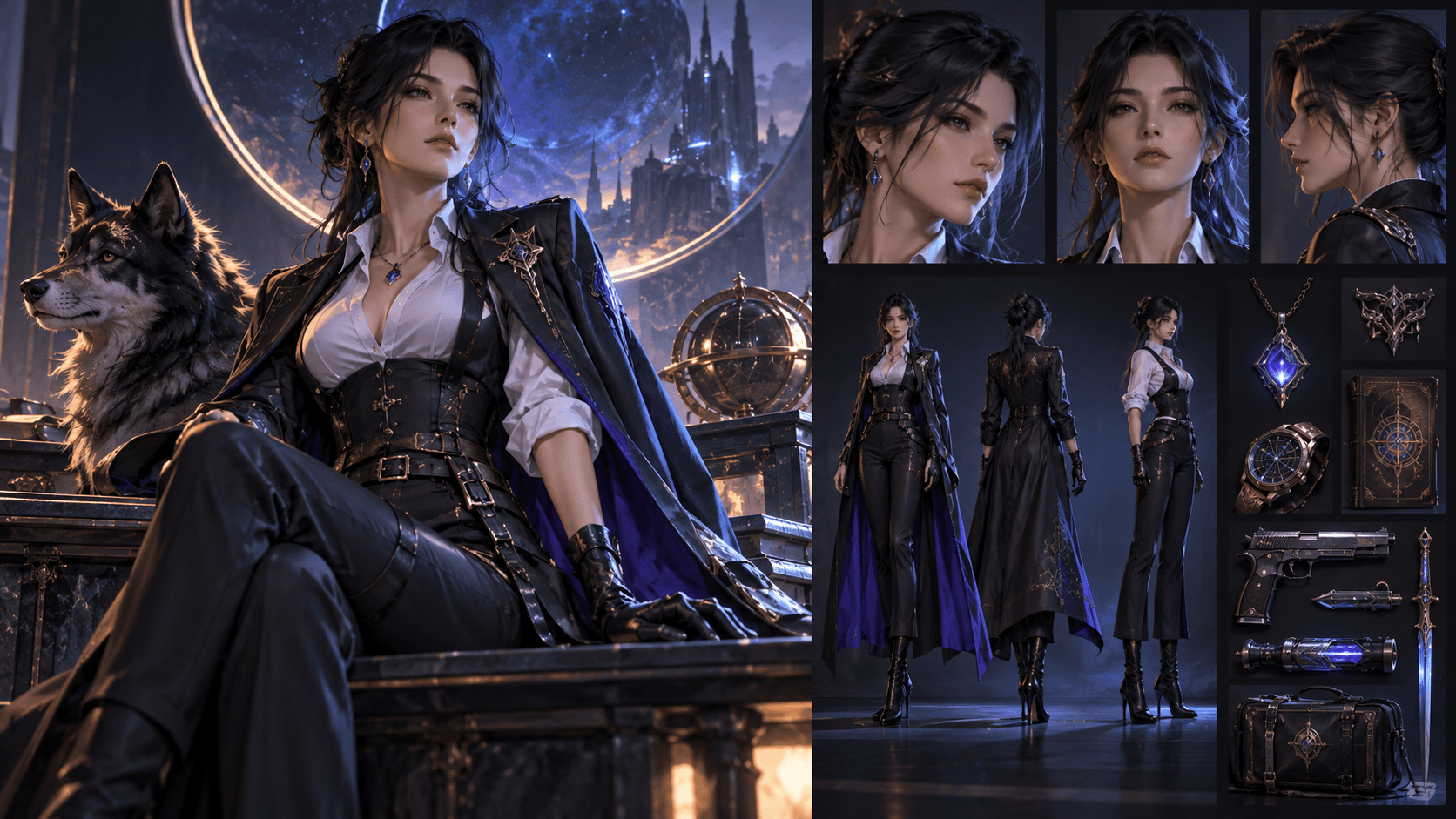
Generate character sheets before hero art. Create front, three-quarter, profile, full-body, expressions, wardrobe, and signature props. For locations, establish layout, lighting, and recurring objects.
Create a rough storyboard or animatic to prove timing and coverage. Mark shots requiring:
- Lip sync
- Full-body motion
- Environment generation
- Object interaction
- Several characters
- Simple still-image animation
- Conventional stock or live footage
An anime creator can use Elser AI to connect original characters, comics, storyboards, animation, lip sync, music, voices, and sound.
Stage 4: route each shot to the right video model
Kling 3.0 for ambitious narrative shots
Use Kling for multimodal direction, full-body performance, or integrated audio. Keep clips short; critical singing close-ups may still need a specialist.
Seedance 2.0 for guided generation and editing
Seedance is attractive when you already have images, video, audio, or an animatic. Strong inputs reduce invention. Access and controls differ across platforms and regions, so confirm the current model and interface before designing the entire pipeline.
Veo 3.1 for cinematic scenes and audio
Use Veo for establishing shots, dramatic environments, reference-guided clips, and audio-visual moments. Test your exact style.
Runway Gen-4.5 for a managed production workspace
Runway is useful when assets, iterations, editing, audio, and models must live together. The Free plan does not provide unrestricted Gen-4.5 production.
Luma Ray3.2 for keyframe direction and finishing
Use Ray3.2 when the shot has planned visual beats, multiple keyframes, modification needs, or professional HDR and EXR finishing. Draft first. High-end output is wasted if the motion and composition are still undecided.
Important Sora status
Do not copy an older 2025 tool list into a 2026 production plan. OpenAI discontinued the Sora web and app experiences on April 26, 2026 and says the API will be discontinued on September 24, 2026. Third-party access may remain during a transition, but Sora should not anchor a new long-term music-video pipeline.
Stage 5: create lip-sync hero shots
Export a clean vocal stem and cut it into shot-length segments. Use the final timing. For an anime or stylized singer, test HeyGen Avatar IV or Hedra Character 3. For a real performer’s authorized digital twin, evaluate HeyGen Avatar V.
Create close-ups and medium close-ups. Keep the mouth visible. Direct emotion, not only words. Generate multiple performances of the same line and choose the one that fits the edit.
Do not lip-sync every lyric. Use wide shots, profiles, instruments, hands, and story cutaways.
Stage 6: edit the visual story
Start with the song and animatic. Replace rough frames with approved clips one by one. Do not throw every generation onto the timeline and hope a story appears.
Cut on phrases
Constant beat cuts become tiring. Let verses breathe, increase cut rate into the chorus, and use major visual changes at structural moments.
Match color and texture
Different models produce different black levels, sharpness, saturation, motion blur, and grain. Apply one finishing language. A consistent grade can unify mixed tools.
Repair rather than regenerate
Cut before drift, freeze a good frame, crop tighter, add a transition, replace a weak second, or composite a clean element. Regeneration is only one repair option.
Add designed sound
Footsteps, cloth, impacts, breaths, and ambience make images feel physical. Keep them clear of the vocal.
Stage 7: rights, consent, and disclosure review
Before publishing, verify:
- Song and composition rights
- Voice and likeness consent
- Character and artwork ownership
- Uploaded reference licenses
- Commercial rights for every platform and plan
- Trademark and publicity concerns
- Required watermark or attribution
- Platform rules for synthetic media
Keep a source log with model, version, date, prompt, input asset, output, license, and reviewer. For client work, make approvals explicit.
Do not state that a model is generally available when it is preview-only, region-limited, or plan-limited. Do not publish rumors as specifications. Date every tool comparison.
A lean stack for different creators
Solo anime creator
- Elser AI for character, storyboard, and connected anime tools
- One general video model for hero motion
- HeyGen Avatar IV or Hedra for singing close-ups
- Existing editor for assembly
Music artist with a real performance identity
- Finished original song or authorized Suno/Lyria/ElevenLabs workflow
- Storyboard and reference shoot
- Veo, Kling, Seedance, Runway, or Luma for cinematic coverage
- HeyGen Avatar V only with the performer’s informed consent
- Professional edit and mix
Brand or studio
- Rights-approved music source
- Formal brief and shot database
- Two-model generation strategy rather than uncontrolled tool sprawl
- Human art direction, compositing, legal review, and provenance records
FAQ
What is the best AI music video generator in 2026?
No single tool wins every stage. Kling 3.0, Seedance 2.0, Veo 3.1, Runway Gen-4.5, and Luma Ray3.2 are current video candidates. HeyGen and Hedra specialize in performance. Suno, Lyria, and ElevenLabs offer current music-generation options.
What is the best AI music generator for videos?
Suno v5.5 is strong for complete personalized songs, Lyria 3 Pro for structured prompting and Google workflows, and ElevenLabs Music v2 for section-based creation and production integration. Choose based on rights, vocals, control, and distribution needs.
Can AI synchronize a singer’s mouth to a song?
Yes. HeyGen Avatar IV and Hedra Character 3 support audio-driven character animation. Clean vocal stems, visible mouths, short shots, and emotional direction improve results.
Can I make the whole video in one platform?
Some platforms combine many stages, but final quality still benefits from an editor. An all-in-one anime platform can reduce handoffs; a specialist model can improve a hero shot. Use the smallest stack that meets the brief.
Is Sora still a recommended music-video tool?
No for new long-term workflows. The web and app were discontinued in April 2026, and the API is scheduled for discontinuation in September 2026.
Conclusion
The best AI music video stack is a directed pipeline, not a list of fashionable models. Choose or create the song responsibly, write a visual treatment, lock the character and world, storyboard the timeline, route each shot by need, generate dedicated lip-sync performances, and finish with human editing and rights review.
Suno v5.5, Lyria 3 Pro, and ElevenLabs Music v2 are current music options. Kling 3.0, Seedance 2.0, Veo 3.1, Runway Gen-4.5, and Luma Ray3.2 cover different kinds of visual generation. HeyGen and Hedra solve close-up performance. Elser AI offers an anime-oriented bridge between several creative stages.
The stack is successful when the audience remembers the song and story—not the number of models used.