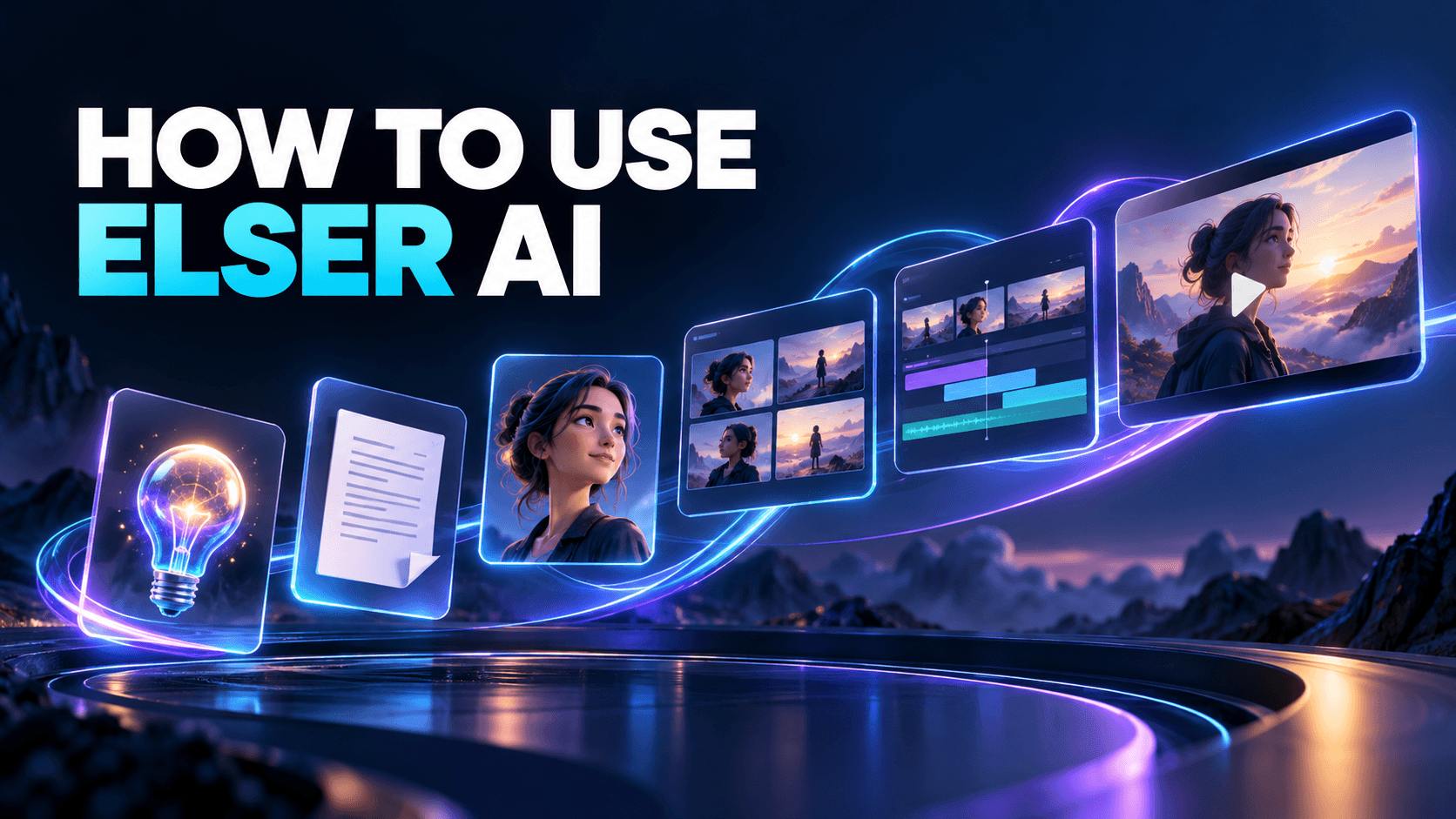
Elser AI Review 2026: Features, Workflows, Pros, Cons, and Best Use Cases
Elser AI is best understood as a browser-based creative production platform, not a single image or video model. Its public tools cover anime and character creation, images, short video, comics, manga, storyboards, voice, sound, music, lip sync, enhancement, and a multi-stage movie workflow. That breadth is useful when a project needs more than one attractive clip—but it also means creators should judge the platform by how well the pieces support their actual production, not by the longest feature list.
This Elser AI review 2026 focuses on the questions that matter before registering or paying: What can the platform genuinely help with? Where does it save time? What still requires human direction? And which creators are likely to get the most value?
The Short Verdict
Elser AI is a strong fit for creators who want to move from an idea to characters, storyboards, generated shots, audio, and a finished short without assembling a different service for every stage. It is particularly relevant to anime shorts, comic-style video, original characters, social storytelling, trailers, and visual experiments.
Its main limitation is the same one facing any broad generative suite: automation does not remove the need to approve the script, lock character references, direct individual shots, compare takes, and check rights. A creator who treats the platform as a one-click movie button may generate more material while gaining less control.
What Elser AI Includes
The current homepage groups the product around several creation areas:
- AI image and video generation.
- Anime and movie production.
- Character and OC creation.
- Comics, manga, and cartoons.
- Storyboards and agent-assisted workflows.
- Voice cloning, character voices, music, and sound.
- Lip sync, video enhancement, and upscaling.
- Templates and community inspiration.
This is not proof that every tool shares the same controls or billing rules. Models, resolutions, duration, concurrency, and quota eligibility vary. Check the live tool page before promising a specific delivery to a client.
The Movie Workflow
The anime and movie product provides the clearest view of Elser AI as a connected system. The documented route is:
- Story Draft: enter a premise or upload an existing script.
- Segmented Script: review, add, remove, or rewrite scenes.
- Settings: choose aspect ratio, model, voiceover, shot duration, and visual style.
- Characters: generate or refine recurring cast members.
- Storyboard Mode: choose Auto Storyboard, Manual, or Storyboard Studio.
- Edit and Export: refine scenes, transitions, and the final sequence.
The three storyboard paths serve different needs. Auto is useful for discovering a fast interpretation. Manual is better when the script structure is already fixed. Storyboard Studio is the natural choice when framing, coverage, or shot order needs closer direction.
Where Elser AI Performs Best
Turning a small story into a complete visual sequence
The platform is most convincing when the project has a defined beginning, change, and ending. A 30- to 90-second short with one protagonist, one location, and a limited number of story beats is a better first project than an eight-minute episode with a large cast.
Starting small makes the difficult parts visible: character drift, inconsistent props, unclear camera geography, dialogue timing, and shots that do not connect in the edit. Those lessons are more valuable than generating a large volume of unrelated clips.
Reusing characters across scenes
Elser AI lets creators build and save characters for use in image, video, and story workflows. The feature is most useful when the creator treats the character as a production asset: approve the face, costume, proportions, palette, and important props before generating many scenes.
No platform can guarantee perfect identity consistency across every model and shot. Review adjacent shots together and maintain a canonical reference rather than relying on a character name alone.
Combining visual and audio creation
Voice, sound, music, and lip sync are part of the broader tool set. That reduces context switching, but it does not make audio automatic. Dialogue must fit the shot duration; music needs room for speech; sound effects should support visible events. The final mix should be reviewed on the devices where the audience will watch.
Pros
A broad creative tool set in one browser platform
Image, motion, characters, storyboards, comics, audio, and enhancement can be accessed without building an API stack. This lowers the operational barrier for solo creators and small teams.
Multiple levels of control
Beginners can start from an idea and use automation. More deliberate creators can edit scenes, configure characters, and choose a controlled storyboard route. That range lets a project become more directed as the creator learns where automation fails.
Model choice for different jobs
The pricing page lists multiple image and video options rather than one universal model. That is useful because a model that excels at a portrait may not be the best choice for motion, dialogue, or a long production run.
A practical path for anime and story-led content
The workflow is organized around narrative stages rather than isolated prompts. This makes Elser AI especially relevant to original characters, anime pilots, webcomic motion tests, trailers, and serialized social stories.
Cons and Limitations
Cost depends on the model and retry pattern
The platform uses credits and, for eligible models and plans, monthly quotas. A nominal number of generations does not equal a fixed amount of finished content. Duration, resolution, model choice, rejected takes, and revision cycles all affect the real cost.
Breadth can create decision overload
New users may encounter many models, tools, templates, and modes before they understand which route fits the project. A written brief and a small test sequence reduce random experimentation.
Generated shots still need editorial judgment
A visually impressive take can fail the story. It may start in the wrong state, end in a frame that cannot cut to the next shot, or change a key prop. Selection and editing remain human responsibilities.
Product details can change quickly
Model availability, quotas, concurrency, and promotional pricing are live product variables. Review the current interface and pricing page when planning a commercial schedule.
Who Should Use Elser AI
Elser AI is a good candidate for:
- Solo anime and comic creators testing original stories.
- Social teams producing short narrative videos.
- Writers who need visual development and a first animated proof of concept.
- Indie teams creating character concepts, cutscene ideas, or campaign visuals.
- Marketers exploring story-led ads instead of template-only video.
- Creators who want image, video, voice, and sound tools under one account.
It is less suitable for users who need deterministic frame-by-frame animation, complex compositing, a traditional collaborative post-production pipeline, or a guarantee that one prompt will produce a publishable film.
Elser AI or ElserStudio
The two products serve related but different working styles. Elser AI is the faster browser route for image, video, anime, characters, templates, and creative tools. ElserStudio is a local-first desktop workspace that organizes scripts, storyboards, reusable World assets, shot generation, take review, and composition on one canvas.
Choose Elser AI when you want immediate browser-based creation. Consider ElserStudio when a longer story needs durable project state, batch shot management, local provider configuration, and a structured novel-to-video production process.
A Sensible First Test
Before buying a large plan, create one short sequence with five or six shots. Use one main character, one location, one prop, and one visible change. Complete the entire path from story to export.
Record:
- How many image and video attempts were required.
- Which model produced the accepted result.
- Where character or prop continuity failed.
- How much manual rewriting and editing was needed.
- Whether the final output met the target platform's dimensions and duration.
That evidence tells you more than a demo reel or a raw generation allowance.
Frequently Asked Questions
Is Elser AI only for anime?
Anime is a major focus, but the current movie page also describes cinematic, realistic, American cartoon, superhero comic, drama, trailer, and experimental story formats.
Does Elser AI make a complete movie from one prompt?
It can expand an idea into a multi-stage production, but creators should review the script, characters, storyboard, shots, audio, and edit. The connected workflow reduces handoffs; it does not remove direction.
Can Elser AI be used commercially?
The current terms state that the company does not restrict commercial use of outputs, subject to applicable law and third-party rights. Users remain responsible for copyrights, trademarks, likenesses, and other rights in their inputs and outputs.
Final Assessment
Elser AI's strongest advantage is not one model. It is the ability to move between story, character, image, motion, audio, and final assembly without rebuilding the project context at every step. Creators who define a small production, approve assets early, and track the cost of accepted results are likely to benefit most.