Elser AI Xuanhuan Comic Drama Generator Workflo
Elser AI can help convert a xuanhuan premise into script, cast, storyboard and animated scenes, but it needs a stable world specification. This walkthrough builds an original pilot about cultivators whose abilities come from promises stored in ancient bells.
Create the World Brief Before Opening the Generator
Write five locked facts:
Power source: names willingly given to celestial bells.
Entry ability: hear unresolved promises.
Advanced ability: bind one promise into physical form.
Cost: the cultivator temporarily loses their own name.
Forbidden use: taking a name by force corrupts the bell.
Visual language: bronze rings, black sound waves, cyan fractures.
Now open Elser’s Start from One Idea route and enter:
Create a 60-second original xuanhuan pilot.
A junior bellsmith discovers that her missing father's name
is the seal holding a floating city together.
Show one ordinary use of bell cultivation, one forbidden use,
one active choice and a final visual revelation.
Use two characters, one city district and seven scenes.
Review the generated Storyline. Elser lets you add, remove or edit scenes; use that control to eliminate redundant lore and ensure the power cost appears before the climax.
Configure the Xuanhuan Look in Settings
Choose aspect ratio, current generation model, shot duration, voiceover and visual style. Record a project-wide style direction:
- Chinese-inspired original floating city;
- dark bronze, slate and restrained cyan;
- ink-wash depth with cinematic anime figures;
- no modern objects, European armor or random pseudo-writing;
- spiritual effects follow circular bell geometry.
Elser supports styles beyond a single anime look, including comic and realistic directions. Test the same establishing shot with the current options and select the one that preserves architecture and character best.
Build the Cast in Character Settings
Create the apprentice and rival as reusable assets:
YAO LIN — apprentice bellsmith
round-square face, dark almond eyes, long black hair in practical braided loop,
compact build, indigo work robe with brown leather tool belt,
small bronze tuning hammer, observant and physically grounded.
Generate a clean reference before action. Check face, hair construction, garment layers, relative height and weapon scale. Save each approved character to Elser’s asset library for reuse in later image and video scenes.
Create your xuanhuan cast in Elser AI, then test the protagonist in a portrait, full-body stance and low-light action frame before producing the whole battle.
Choose Storyboard Mode by Battle Complexity
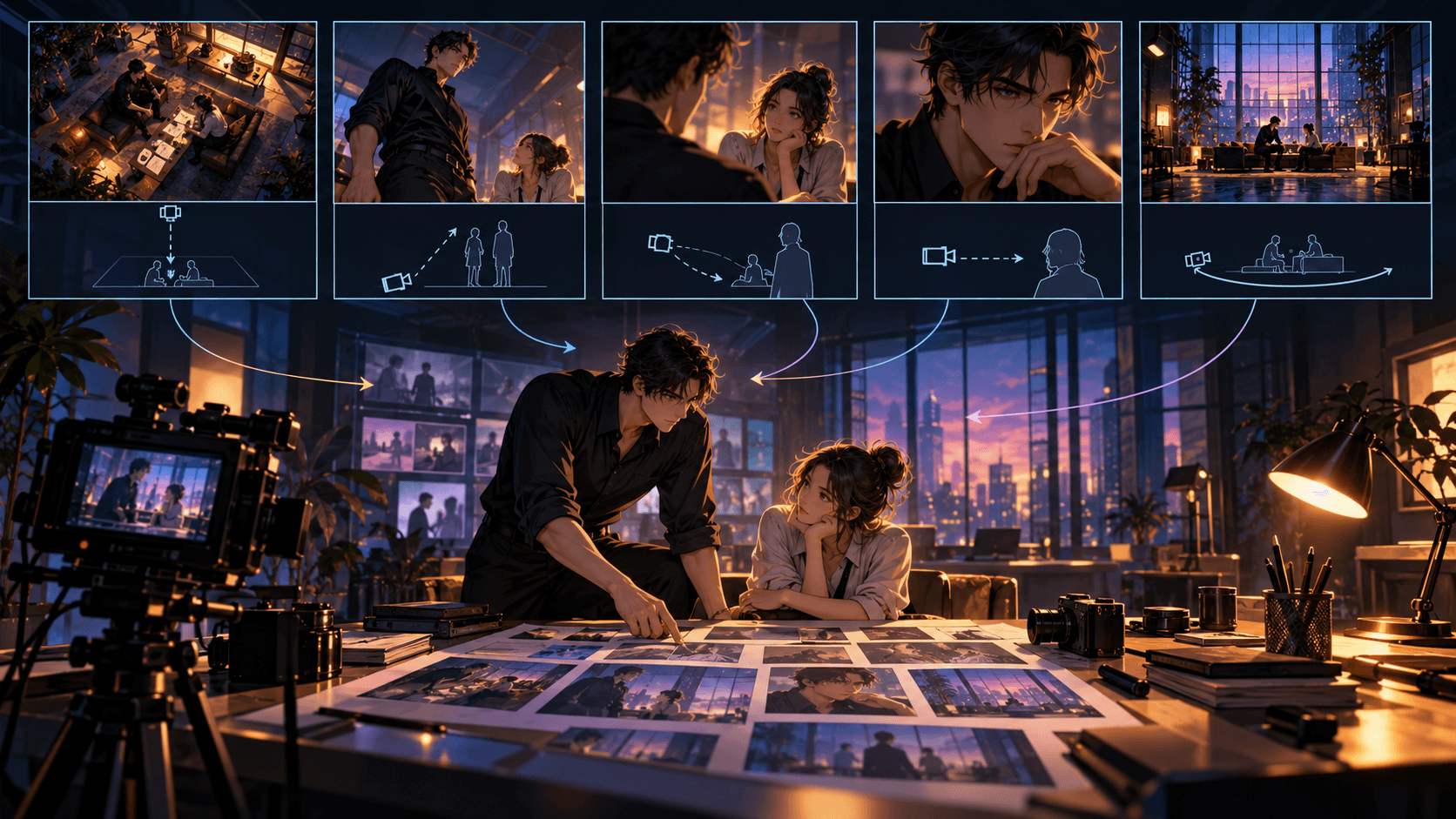
Use Auto Storyboard to see Elser’s fast interpretation. Choose Manual when the approved script split must remain unchanged. Choose Storyboard Studio for battle geography, screen direction and reactions.
Design the climax as five separate panels:
- wide shot establishes the bell platform and cliff edge;
- rival strikes the corrupted bell;
- close-up shows Yao Lin’s name fading from her tool;
- medium action shot shows her binding the rival’s broken promise;
- aftermath reveals the city seal contains her father’s name.
This is easier to generate and edit than one prompt asking for an entire aerial duel.
Move from Keyframe to Video
Approve each storyboard frame, then direct motion:
Use approved YAO_LIN and BELL_PLATFORM references.
She raises the small tuning hammer and strikes once.
One bronze ring expands through the fog; her sleeve follows naturally.
Camera remains low and static; three-second shot.
No costume change, no extra weapon, no new buildings.
Spend more generation effort on the power cost and final revelation than on transitions. Review adjacent clips inside Elser for aura color, weapon position and damaged environment.
Finish Cultivation with Sound
Use Elser’s voice, music and sound workflow after the rough visual cut. Give each faction a sonic family: clean struck bronze for lawful cultivation, warped resonance for stolen names. Time incantations to the actual shot duration.
In Final Cut, trim repetitive effects, add silence before the name reveal, refine transitions and export. A xuanhuan scene feels powerful because the audience understands what changed—not because every frame glows.
Turn the Pilot into a Reusable Elser Template
Preserve:
- the original Storyline and world rules;
- canonical Character Settings;
- visual style and aspect ratio;
- location references;
- power-effect colors;
- storyboard naming convention.
For episode two, duplicate the structure and change the dramatic test. Do not redesign the system.
Create a Power System the Camera Can Explain
The audience should recognize rank and technique before a narrator explains them. Give each power family a controlled visual language: one geometry, one movement behavior, one sound family and one cost. A sword domain might use straight silver trajectories and restrained metallic tones; a forbidden blood art might distort the frame with irregular crimson pulses. Avoid giving every technique smoke, lightning, particles and glowing eyes. When every effect is maximal, none communicates meaning.
Add these constraints to the relevant Elser scene prompt:
Yan Luo activates First Meridian Sword Breath: three thin silver lines form behind the blade, then converge into one forward strike. No explosion, no wings, no unrelated magic. His right hand trembles afterward to show the physical cost. Preserve the indigo robe and bronze wrist seal.
The final sentence protects continuity and drama. Power without a visible cost quickly destroys tension.
Block a Cultivation Battle in Storyboard Studio
Treat combat as a sequence of decisions rather than a montage. Start with an orientation frame showing both fighters, the exit and the dangerous object. Then storyboard anticipation, attack, defense, consequence and changed position. For each panel, ask what the viewer learns. A close-up of a foot is useful if it reveals a forbidden step technique; it is noise if it only looks stylish.
Use wider shots for distance and hierarchy, medium shots for technique mechanics, and close-ups for realization or injury. Save the largest visual effect for the decisive reversal. Once still frames are approved, generate motion in short units. Complex multi-character choreography is easier to control as connected actions than as one broad request.
Maintain World Logic Across Episodes
Keep a small production ledger outside the prompt with sect colors, rank indicators, named techniques, artifact ownership and injuries. At the start of every Elser episode, copy only the relevant facts into the Storyline notes. In Character Settings, save recurring masters, rivals and monsters instead of describing them anew. For locations, repeat the signature architecture and palette even when the camera angle changes.
An arc-level continuity block can be concise:
Realm ceiling: Spirit Core, third stage.
Yan Luo: second stage; right meridian damaged.
Artifact: Star-Forged Seal held by Su An.
Sect rule: disciples wear indigo; elders wear bone white.
Forbidden visual: no modern technology or European plate armor.
Production Review Before Final Cut
Watch the rough cut for three separate qualities. First, narrative clarity: can a new viewer identify the goal, obstacle and result? Second, power logic: do techniques follow established appearance and limits? Third, emotional scale: does the reaction after the strike receive enough time to matter? Add voiceover only where the image cannot carry necessary world information.
In Elser's editing stage, use music to distinguish spiritual states, not merely to fill silence. Reserve the strongest cue for an actual rank change or irreversible loss. Before exporting, compare the hero's opening and closing frames; the episode should leave a visible change in status, knowledge, body or allegiance.
When this framework is ready, build the pilot through Elser AI's anime workflow and use the resulting cast, settings and storyboard rules as the series baseline.
Budget Effects by Narrative Importance
Divide effects into three levels before generation. Ambient effects establish the world: drifting spiritual dust or distant lanterns. Technique effects explain an action: a seal forming or sword path becoming visible. Event effects mark irreversible change: a shattered core or opened realm. Give Event effects the longest approval time and strongest audio cue. This hierarchy prevents every scene from competing at the same intensity and helps you reserve Elser iterations for frames the audience will actually remember.
FAQ
Can Elser AI generate xuanhuan from one sentence?
Its current workflow can expand an idea into scenes, but a concise world brief produces more coherent results than a generic “epic cultivation” request.
Which mode should I use for combat?
Storyboard Studio provides closer shot-level control. Break combat into anticipation, rule, impact and consequence.
Can I reuse my cultivator in later scenes?
Elser’s public page says created characters can be saved and reused. Continue reviewing every result for identity and costume continuity.
Conclusion
The Elser AI xuanhuan workflow works best when rules come before spectacle. Lock the world, expand or import the script, configure Settings, build reusable Cast, direct the Storyboard and finish motion and sound in Final Cut. Create your first xuanhuan pilot with Elser AI.