GPT Image 2.6 Sunburst Guide: High-Quality Generation and Coherent Editing
GPT Image 2.6 Sunburst is the model to evaluate when a project needs a high-quality image and later edits must preserve approved decisions. OpenAI’s November 5, 2026 announcement describes Sunburst as producing higher-quality results with greater coherence during editing. The production opportunity is controlled revision: change what the brief requests while protecting identity, composition and unaffected objects.
The public API reference had not yet documented Sunburst’s 2.6 model ID, pricing, input limits or supported edit parameters at verification time. This guide therefore focuses on model-independent editing discipline and clearly marks features that require updated official documentation.
Start from an approved base image
Do not begin precision editing while the team still disagrees about the composition. Approve the base at three levels:
- structure: subject, pose, camera, environment and major geometry;
- identity: face, body, product, prop and signature design;
- surface: color, material, lighting and small detail.
If structure is wrong, regenerate or redesign. If only a surface element is wrong, editing is appropriate. Trying to repair a fundamentally weak image through dozens of small edits creates accumulated drift.
Save the untouched base as version zero. Every edit must be reversible.
Write invariants before writing the change
An edit prompt needs two parts: what changes and what does not. The invariant list is often more important.
Weak request:
Make the coat green and improve the image.
Controlled request:
Change only the adult character’s yellow vinyl raincoat to dark forest-green waxed canvas with matte folds and brass snaps. Preserve face, age, hair, body proportions, pose, hands, expression, shirt, trousers, bag, street, camera position, crop, lighting direction and image dimensions. Do not add text or accessories.
The second prompt creates an acceptance test. If the face or camera changes, the edit fails even if the new coat looks good.
Change one layer at a time
Separate edits into identity, wardrobe, object, environment, light, composition and typography layers. Change one layer, approve it, then continue.
For example:
- remove an unwanted cup;
- approve the repaired table;
- change the table material;
- approve reflections and shadows;
- adjust background light;
- add final typography in a deterministic design tool.
This sequence makes failures diagnosable. A single request that removes the cup, changes the room, alters the product and adds a headline cannot reveal which instruction caused drift.
Use masks when the official workflow supports them
OpenAI’s existing Image API supports masked editing for documented GPT Image models, but the exact GPT Image 2.6 Sunburst request format was not yet present in the public reference when checked. Once confirmed, masks can define the editable region while the prompt defines the intended result.
A mask is a boundary, not a complete specification. Include surrounding context, material behavior, lighting and invariants. Feathering and edge quality matter when replacing objects against hair, glass, smoke, fabric or reflections.
Inspect outside the mask. Generative edits may still alter pixels or perceived relationships beyond the intended area depending on the implementation.
Preserve a character through wardrobe edits
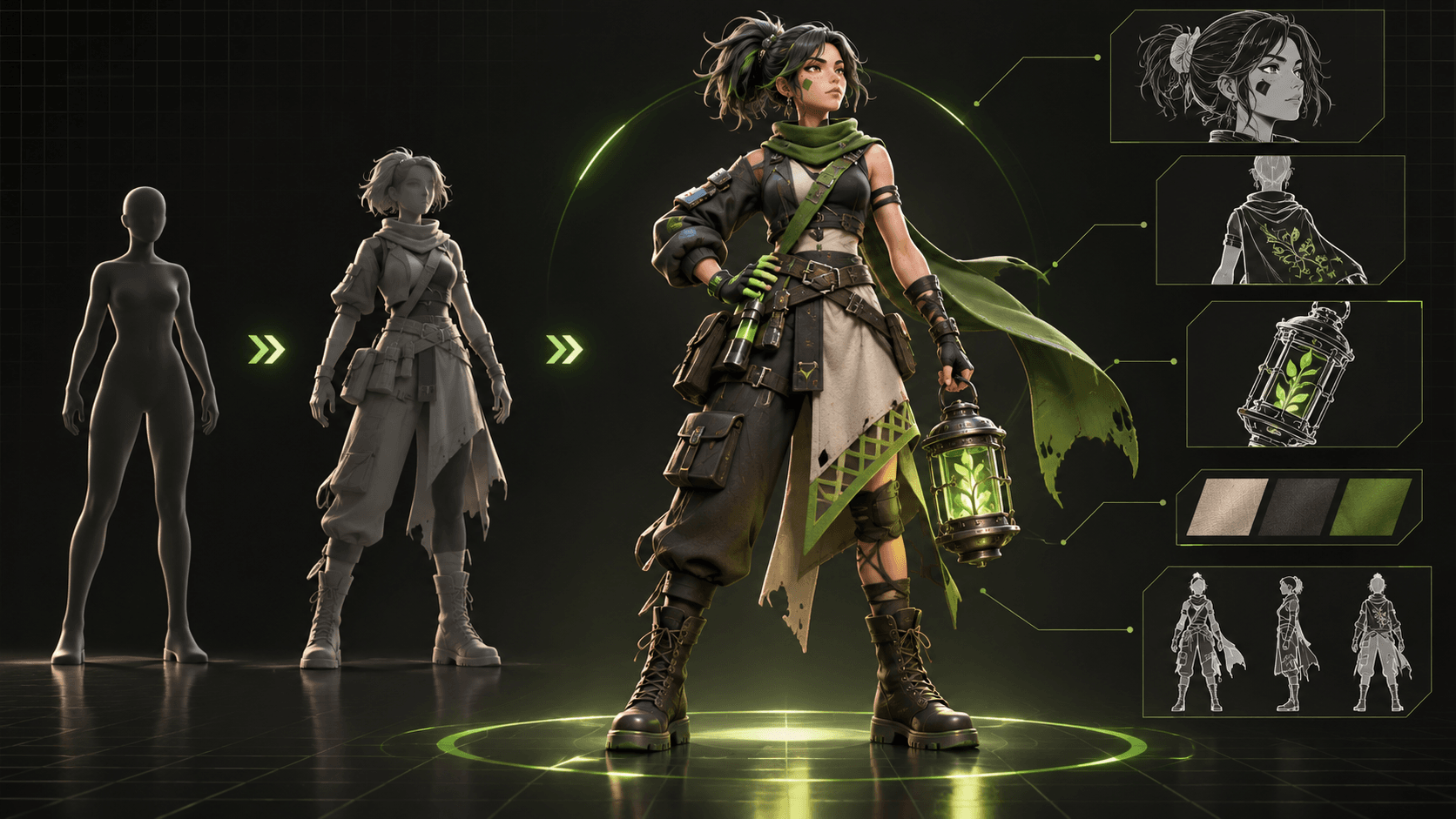
Create a canonical character sheet before changing outfits. Record adult/minor status, face shape, eye color, hair geometry, body proportions, skin or fur markings, handedness, signature prop and neutral outfit state.
For each wardrobe version, specify construction, material and story state. Do not refer to “the same character” without providing the approved reference and stable identity notes.
Review:
- facial geometry and perceived age;
- hairline and length;
- eye and skin colors;
- shoulder and body proportions;
- hand count and finger structure;
- prop design;
- camera and pose;
- garment interaction with the body.
If the edit changes identity, reject it rather than updating the character sheet to match the error.
Preserve products and packaging
Commercial image editing requires stricter checks than concept art. A model may beautify a package by changing the label, cap, proportions, material, quantity or legally required text.
Lock:
- product outline and dimensions;
- brand and label content;
- color specification;
- material texture;
- closures and functional parts;
- reflections and transparent regions;
- number of items;
- safety or regulatory information.
Use the real product source image when permitted. Compare the result at high zoom and delivery size. If exact label reproduction is required, composite the verified label after generation rather than trusting rendered text.
Maintain scene continuity across edited frames
Sunburst’s announced editing coherence may help storyboard and keyframe work, but continuity still requires production records. Track character state, wardrobe, held props, location geometry, time, light direction, weather, damage and screen position.
When creating a reaction frame from an approved setup, change expression and gesture while preserving the camera axis and scene layout. If a character moves between frames, record the start and end state.
ElserStudio is useful after image approval because canonical characters, locations and props can live as World assets and connect to shot records. The asset editor can hold a canonical reference, description and production details; scripts and shots can reference the same saved identity. Import or attach the Sunburst result only where the current version supports it.
GPT Image performs the still edit. ElserStudio keeps the still connected to the story, shot and later take review.
Version every accepted edit
Use meaningful versions:
v00-approved-basev01-remove-cupv02-table-oakv03-light-warmerv04-delivery-master
Record prompt, model, date, input references, mask, settings, reviewer and decision. Do not overwrite the previous accepted file. If version three fails, return to version two rather than editing the failed result repeatedly.
Maintain a change log explaining why each edit exists. This becomes essential when an asset is used in several shots or campaign formats.
Build a coherent multi-turn editing loop
OpenAI’s existing image generation documentation describes multi-turn editing through the Responses API for supported models. The exact 2.6 availability and syntax need confirmation after documentation updates.
The production loop should remain:
- load or reference the approved image;
- state the single requested change;
- repeat critical invariants;
- inspect the output against the immediate parent;
- accept, reject or branch;
- continue only from an accepted state.
Do not rely on the conversation alone as the version system. Export accepted files and keep the ledger externally.
Separate image quality from factual accuracy
A highly coherent image can still contain a false diagram, unsafe product setup, incorrect historical garment, impossible tool, fabricated interface or misleading before/after claim. Sunburst’s quality positioning does not make its output authoritative.
Use subject experts where accuracy matters. Verify products against approved photography, diagrams against source data and locations against real references. Generated visual confidence should increase review, not replace it.
Prepare a Sunburst asset for motion
Before sending an edited image into video:
- remove accidental text and duplicated objects;
- clarify hands and prop contact;
- keep face unobstructed when identity is important;
- ensure foreground does not trap motion;
- leave framing room for the planned camera move;
- document what must remain fixed.
Elser AI Image Animator can use a still as an image-to-video starting point where supported. Write motion separately from appearance. Test a short clip and inspect whether the animation preserves the approved Sunburst asset.
For multi-shot work, use ElserStudio’s script, World, shot and composition structure so the edited image remains attached to a canonical asset instead of becoming an unnamed upload.
Evaluate editing coherence quantitatively
Create a fixed test set:
| Edit | Required preservation | | --- | --- | | Change coat material | identity, pose, background, camera | | Remove table object | table geometry, shadows, product | | Replace background | subject edge, product geometry, lighting logic | | Change expression | face identity, hair, wardrobe, camera | | Adjust time of day | objects, geometry, character state |
Have reviewers mark unintended changes by region and severity. Repeat across multiple images. Publish a conclusion only after the pattern is consistent.
Know when to use deterministic editing
Use a traditional image editor, vector tool or compositor when the task requires exact pixels, typography, regulated labels, measured geometry, brand color values or reproducible layer structure. A generative edit can propose and reconstruct; it is not always the right finishing tool.
SVG export may extend the workflow for vector-friendly assets, but inspect the exported structure before treating it as production-ready.
Frequently asked questions
Does Sunburst guarantee perfect character consistency?
No. OpenAI announced greater coherence during editing, not perfect preservation. Use canonical references, invariants and review gates.
Can Sunburst edit only one selected area?
Masked editing is documented for existing GPT Image workflows, but the exact 2.6 Sunburst implementation should be confirmed in the updated official API guide.
Is Sunburst better than Flare for every image?
Sunburst is positioned for higher quality and editing coherence. Flare may be more efficient for early exploration and high-volume alternatives.
Is Sunburst integrated into ElserStudio?
No public page confirmed native GPT Image 2.6 support at verification time. ElserStudio can organize approved exported assets and supported provider workflows; check the live version and configuration.
Conclusion
GPT Image 2.6 Sunburst is most useful when an image has crossed from idea to asset. Approve the base, define invariants, edit one layer, version every accepted state and use deterministic finishing where exactness matters. Then hand the verified still into Elser AI for supported online animation or ElserStudio for a connected multi-shot production workflow.