How to Turn a Manga or Comic into an Animated Video with AI
A comic panel already contains a small miracle.
The artist has compressed action, emotion, composition, and time into one still image. A raised eyebrow can imply an argument. Speed lines can turn one pose into a violent movement. The empty space between two panels can hide an entire sequence of events.
That is also why converting a comic into video is harder than making the picture move.
A manga panel was composed to be read as a still image. Video requires events to unfold over time. The camera needs somewhere to move, characters need clear starting and ending poses, and transitions must explain what happened between the original panels.
If you simply upload every panel to an image-to-video model and request “animate this,” the results may move, but they probably will not tell the story clearly.
The right workflow is not panel-to-video. It is:
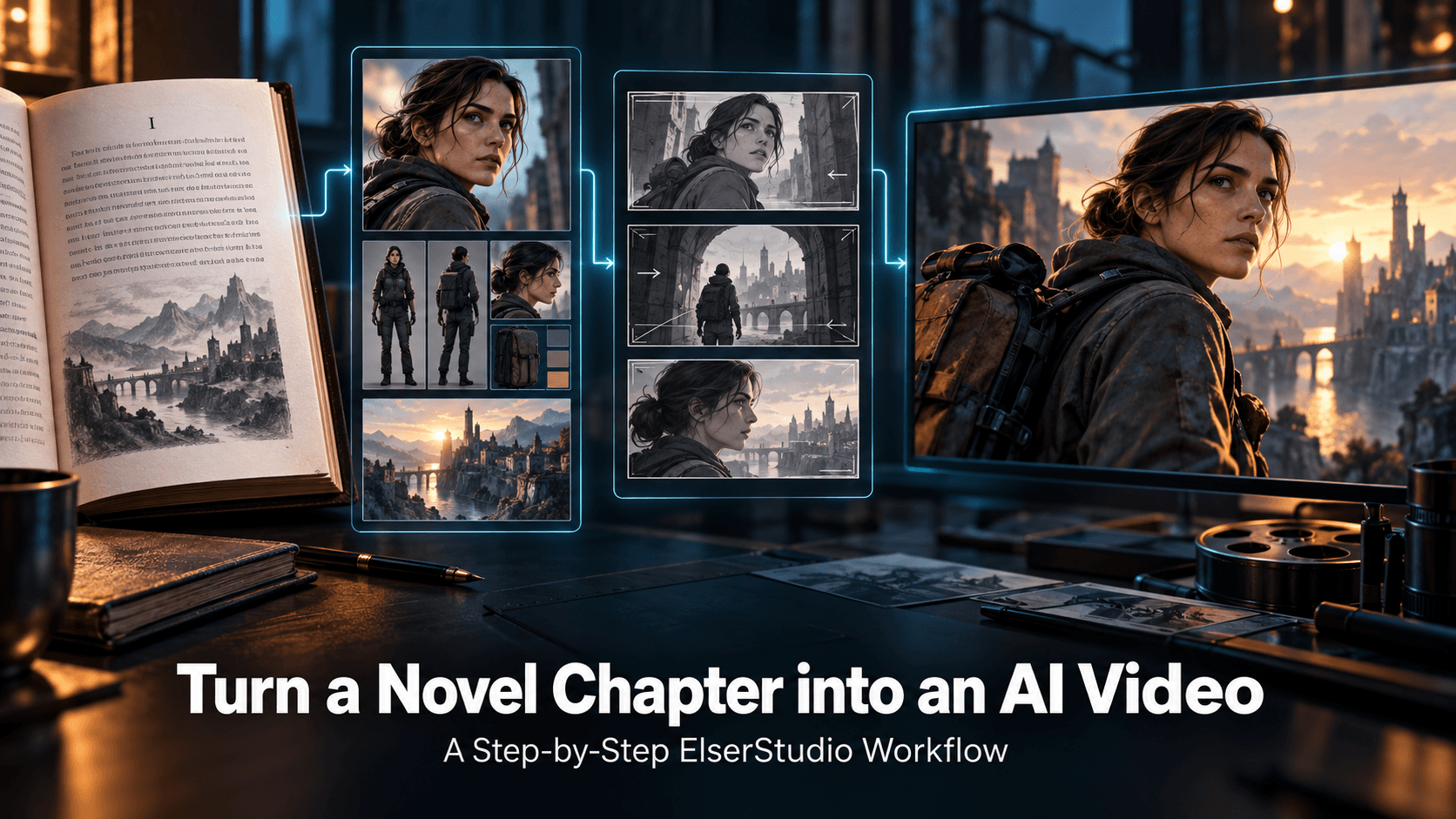
comic sequence → story beats → video shots → controlled motion → finished scene
This guide shows how to make that conversion while preserving the artwork, characters, pacing, and emotional intent.
Elser AI is a useful platform for the process because it combines AI comic and manga creation with reusable characters, storyboarding, image animation, video generation, voices, lip sync, music, sound effects, enhancement, and upscaling.
Decide What You Are Actually Making
“Animate my comic” can describe several very different outputs.
Motion comic
The original panels remain mostly intact. Motion comes from camera pans, zooms, layered depth, effects, speech, and transitions.
This is the safest option when preserving the original artwork matters most.
Animated manga trailer
Selected panels become short cinematic shots used to promote the comic, chapter, or series.
This format works well for social media and crowdfunding.
Fully animated scene
The panels become visual references for newly generated motion, dialogue coverage, and additional angles.
This offers the most movement but also requires the most interpretation.
Vertical webtoon video
The sequence is redesigned for a 9:16 format with controlled scrolling, panel reveals, narration, and selective animation.
Before using any AI model, choose one of these formats. The production method depends on the answer.
Step 1: Confirm Rights and Prepare the Source
Only animate material you created, licensed, or have permission to adapt.
Owning a physical manga volume or finding an image online does not grant adaptation rights. If the artwork belongs to another creator, obtain clear permission before publishing an animated version.
For your own comic, export the cleanest possible source:
- Original layered files where available
- High-resolution page images
- Panels without compression artifacts
- Separate dialogue text
- Character sheets
- Background artwork
- Color references, if the source is monochrome
If speech bubbles are baked into the artwork, preserve a clean version and a text-free version. The clean version is better for animation; accurate text can be reintroduced during editing.
Step 2: Break Pages into Story Beats
A comic page is not automatically one video shot.
One panel may contain several implied actions. Another may function only as a reaction. Two adjacent panels may need an additional connecting shot so that the movement makes sense.
A strong motion comic often uses restrained animation:
- Blinking
- Hair movement
- Rain or smoke
- Camera push
- Cloth movement
- Light changes
- Foreground parallax
- Small facial reactions
The aim is not to prove that everything can move. The aim is to direct the viewer’s attention.
Step 3: Extract and Clean the Panels
Crop individual panels and remove anything that should not become part of the generated scene.
Clean up:
- Panel borders
- Speech bubbles
- Sound-effect lettering
- Page numbers
- Adjacent panels
- Scanning artifacts
- Uneven backgrounds
Preserve the original as a reference. Perform animation work on a duplicate.
For complicated panels, separate the artwork into layers:
- Foreground
- Character
- Background
- Effects
- Dialogue
- Props
Layer separation enables simple parallax and makes it easier to animate one element without changing the rest of the image.
If the source lacks enough visual information outside the panel, use image expansion before animation. A close-up face may need shoulders and surrounding background for a camera pullback. A narrow vertical panel may need horizontal environment detail for a 16:9 shot.
Review expanded areas carefully. The new content should respect the architecture, lighting, line weight, perspective, and screentone style of the original.
Step 4: Build a Character Reference Pack
Comic characters often look different between panels because the artist intentionally changes expression, angle, or exaggeration. An AI model may interpret those changes as different identities.
Build a clean reference pack for every recurring character:
- Front portrait
- Three-quarter portrait
- Side profile
- Full-body design
- Neutral expression
- Important costume details
- Color palette
- Height comparison
- Signature props
For monochrome manga, decide whether the video will remain black and white or receive color.
If adding color, create a fixed palette before generating video. Do not let every model invent its own interpretation of the character’s hair, eyes, costume, and environment.
Elser AI’s character tools allow creators to define appearance, hairstyle, clothing, and other identity details before those characters are used in video.
Step 5: Convert Panels into a Video Storyboard
Now rebuild the sequence as shots.
A four-panel page might become:
1. Wide establishing shot of the alley
2. Medium shot of the hero walking
3. Insert shot of a shadow crossing the wall
4. Hero reaction close-up
5. Reverse angle revealing the pursuer
6. Final two-shot confrontation
The comic may not include the wide alley or reverse angle. Those shots are inferred from the story’s geography.
This is where an AI storyboard generator becomes valuable. Elser AI can combine script development, character design, storyboard creation, and later animation in one workflow. (elser.ai)
A good storyboard answers:
- Where is each character?
- Which direction are they facing?
- What changed since the last shot?
- Where is the camera?
- What action happens during the shot?
- Which details must remain fixed?
- How does the shot begin and end?
Do not animate until the sequence works as still images.
Step 6: Decide How Much Motion Each Shot Needs
Use three levels of motion.
Level 1: Camera and atmosphere
The artwork remains stable while the camera moves gently. Rain, particles, light, smoke, or hair may animate.
Best for:
- Establishing shots
- Emotional close-ups
- Narration
- Horror tension
- Reflective scenes
Level 2: Controlled character movement
The character performs one clear action, such as looking up, reaching forward, turning, or walking.
Best for:
- Dialogue reactions
- Character introductions
- Simple transitions
- Dramatic reveals
Level 3: Full action generation
The model creates substantial body movement, camera motion, and environmental interaction.
Best for:
- Fighting
- Running
- Transformations
- Destruction
- Climactic sequences
Do not use Level 3 everywhere. It consumes more credits, creates more opportunities for drift, and can overpower the original comic style.
Step 7: Write Motion Prompts, Not Image Descriptions
When an approved panel is used as the starting image, the model can already see the composition. The prompt should explain what changes.
Weak prompt:
Anime boy in an alley, black hair, wearing a coat.
Better prompt:
The character slowly turns toward the sound behind him. His eyes narrow and the lower edge of his coat moves slightly in the wind. Camera pushes in gently. Rain continues falling. Preserve the original face, ink lines, screentone, clothing and background perspective. No new accessories or design changes.
For action:
The swordswoman steps forward and draws the blade in one controlled motion. Camera tracks slightly left, ending on a low-angle pose. Hair and coat react naturally. Preserve the original manga character design, face, costume markings and monochrome ink style.
One action and one camera instruction are usually enough.
Step 8: Preserve Manga Style During Animation
Video models may soften ink lines, add realistic texture, change screentones, or introduce unwanted colors.
Use explicit restrictions:
Black-and-white manga animation, clean ink outlines, stable screentone patterns, high-contrast shadows, limited animation, no photorealistic texture, no color, no painterly rendering, preserve original character proportions.
If creating colored anime from manga:
Clean 2D television anime, flat cel shading, controlled color palette, stable line work, no photorealistic skin, no additional costume detail.
Generate a short test before processing the whole scene. If the first five-second shot cannot retain the visual language, change the model or workflow.
Step 9: Rebuild Dialogue for Video
Comic dialogue is written to be read at the viewer’s pace. Video dialogue has fixed timing.
Read each line aloud. Many speech bubbles are too long for natural delivery without slowing the scene.
Adapt the text while preserving its meaning.
Comic line:
“I suppose I should have known that you would be the person waiting for me here after everything that happened.”
Video line:
“I should’ve known you’d be waiting.”
Shorter dialogue sounds more natural and gives the character room to act.
Record or generate every character’s voice before finalizing shot lengths. Assign each character a stable vocal identity:
- Pitch
- Age
- Accent
- Rhythm
- Emotional restraint
- Speaking speed
Elser AI supports voice cloning, selectable voice styles, emotional tones, delivery-speed adjustments, and lip sync within its wider animation workflow.
For multi-character scenes, use close-ups and reaction shots rather than synchronizing several small faces in one wide composition.
Step 10: Use Sound to Animate What the Camera Cannot Show
Sound can imply more movement than the image displays.
A nearly still manga panel becomes cinematic when accompanied by:
- Footsteps approaching off-screen
- Clothing movement
- A sword leaving its sheath
- Wind entering through a window
- A distant train
- Room tone
- A character’s breath
- A low musical pulse
Do not add every sound simultaneously. Choose sounds that clarify space, action, and emotion.
For manga, silence is also powerful. A quiet pause before a page-turn reveal can become a moment of near-silence before the video cuts to the antagonist.
Step 11: Design Transitions Between Panels
Comic panels are separated by gutters. Video shots need transitions.
Use:
- Match cuts between similar shapes
- Movement continuing in the same direction
- Sound beginning before the next shot
- Camera pushes into darkness
- Whip pans for fast action
- White flashes for impact
- Slow dissolves for memory
- Hard cuts for comedy or shock
Avoid applying decorative transitions to every cut. The transition should serve the story.
If the character exits the right side of one shot, they should usually enter from the left in the next shot to maintain screen direction. Breaking this rule accidentally can make the character appear to reverse direction.
Step 12: Create Horizontal and Vertical Versions Intentionally
A comic-to-video project may need several formats.
16:9: YouTube episodes, trailers, pitch videos
9:16: TikTok, Reels, Shorts, vertical webtoon previews
1:1: Feed posts and promotional loops
Do not rely on automatic center cropping.
For vertical video:
- Keep faces near the central upper area
- Leave room for captions
- Avoid important details behind interface controls
- Stack visual information vertically
- Use panel reveals and controlled scrolling
- Recompose wide group scenes
The vertical version may need different shots rather than a crop of the horizontal edit.
Common Problems and Fixes
The character changes between panels
Use one approved character reference pack and attach it to every important generation.
The animation destroys the original drawing
Reduce motion, use image-to-video instead of text-to-video, and explicitly preserve ink, screentone and proportions.
The camera has nowhere to move
Expand the panel or create a new storyboard frame with more environmental information.
Hands and props deform
Simplify the action, use a clearer starting pose, and shorten the shot.
Dialogue feels rushed
Rewrite comic text for spoken delivery and finalize audio before animation.
The result feels like a slideshow
Add reaction shots, environmental sound, varied shot sizes, and motivated transitions.
The result no longer feels like the comic
Return to the original emotional intent. More movement is not automatically more faithful.
A Simple 30-Second Manga Trailer Structure
Try this structure for your first project:
0–4 seconds: Establish the location with atmospheric movement
4–8 seconds: Reveal the protagonist
8–12 seconds: Introduce the threat through sound or shadow
12–17 seconds: Close-up reaction and one spoken line
17–23 seconds: Short action beat
23–27 seconds: Antagonist or mystery reveal
27–30 seconds: Series title and release information
This requires only six or seven shots and can be adapted for both horizontal and vertical platforms.
Why Elser AI Fits This Workflow
The difficult part of comic-to-video production is not making a panel move. It is carrying the same story, character and visual identity from one creative stage into the next.
Elser AI combines:
- AI comic and manga generation
- Original-character creation
- Script development
- Storyboarding
- Image-to-video animation
- Multiple video models
- Voice cloning
- Lip sync
- Music and sound effects
- Enhancement and upscaling
That connected workflow is particularly useful when you are developing an original comic and its animated adaptation together. The same characters and story plan can continue into video instead of being reconstructed across unrelated tools.
Final Verdict
The best way to turn manga or comics into animated video is not to animate every panel automatically.
First identify the story beats. Clean and separate the artwork. Lock the characters. Rebuild the page as a video storyboard. Decide which shots need subtle motion and which deserve full animation. Finalize dialogue before lip sync, use sound to enlarge the world, and design transitions deliberately.
Most importantly, protect what made the comic work in the first place.
AI should not replace the visual decisions in the source material. It should help those decisions unfold through time.
Turn your comic or manga into an animated story with Elser AI.