How to Create a Rules Horror AI Comic Drama with Elser AI
Rules horror works when viewers can inspect clues and form a theory. Elser AI can translate the story into editable scenes and controlled storyboard coverage, but you must define the hidden mechanism before asking it to invent rules.
Write the Truth Before the Elser Prompt
Setting: the final night bus crosses abandoned versions of the city.
Hidden mechanism: passengers survive only while everyone agrees on the same destination. The entity cannot invent a stop, but it can imitate a passenger and change consensus.
Now give Elser’s Start from One Idea workflow a bounded prompt:
Create a 65-second vertical rules-horror comic drama.
Setting: final night bus through an empty impossible city.
Hidden mechanism: passengers survive while sharing one destination.
Rules shown: never say your destination; count passengers after every tunnel;
do not count the driver; if two passengers share a face, ask neither where they are going.
Use one protagonist, six silent passengers and seven scenes.
End when the protagonist counts the driver and gets the correct total.
Psychological suspense, no graphic violence.
Run the prompt in Elser AI, then stop at Storyline.
Edit Storyline into Fair Evidence
For every Elser scene, identify the rule, evidence and interpretation:
| Scene | Evidence | Viewer theory | | Tunnel one | count changes 7 → 8 | someone boarded | | Child sleeps | whispers an address | rule may be violated | | Window reflection | two passengers share one face | an imitation exists | | Final count | driver makes total correct | driver is a passenger |
If a reveal has no earlier evidence, add a scene or rewrite it. Elser’s editable Storyline makes this correction possible before generation.
Configure the Horror Grammar
Set a vertical aspect ratio, restrained comic/anime style, mostly static 3–5 second shots and subdued voiceover. Lock the bus layout and colors: cold blue interior, violet exterior anomaly and one white rule-card treatment.
Do not rely on generated text inside images for essential rules. Create blank rule-card compositions, then add exact typography during editing or with a controlled overlay workflow.
Create the Protagonist and Imitation
In Character Settings, save the protagonist with one readable silhouette. Create the duplicated passenger as a deliberate linked design rather than hoping two random generations match. Keep the protagonist’s costume stable throughout the bus journey.
Use the saved assets in each scene. A face changing accidentally will look like a plot clue, so continuity errors are especially damaging in this genre.
Choose Storyboard Studio for Clue Placement
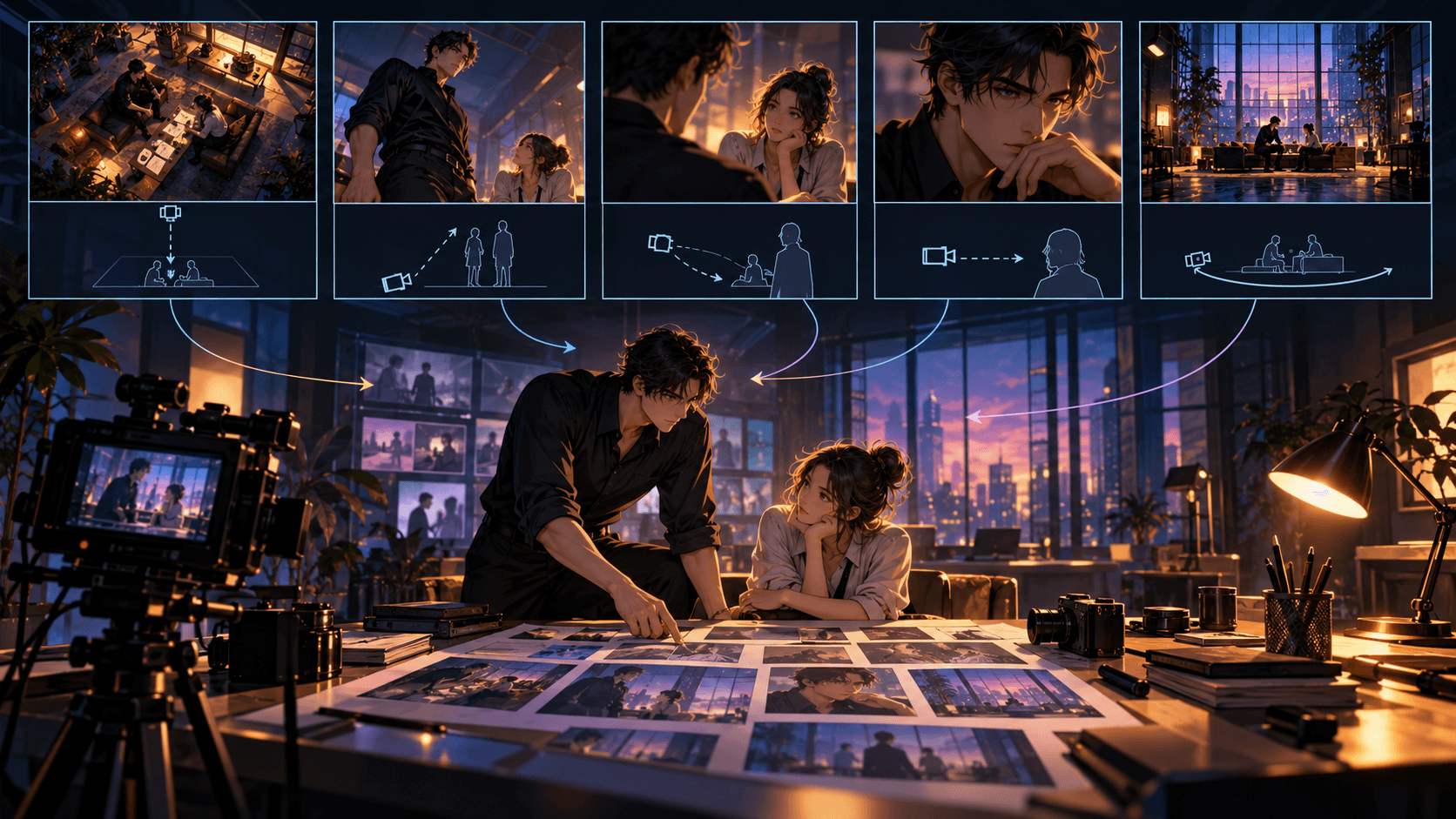
Use Auto Storyboard to explore, then Storyboard Studio to control sightlines. Establish the seating plan in a wide shot. Use the same angle after each tunnel so the changed count is visible. Place the mirrored faces in different depth planes but within one readable frame.
Do not cut too quickly. The viewer needs time to observe before the protagonist reacts.
Build the seven-panel version in Elser and show it to someone without the script. Ask what changed after each tunnel. Fix the storyboard if they cannot identify the evidence.
Animate Small, Unsettling Changes
Use approved night-bus wide frame.
Interior lights flicker once during the tunnel.
When light returns, one additional passenger sits in the last row.
No camera movement; all other passengers remain still; four seconds.
Keep bus layout and protagonist unchanged.
Small controlled motion protects the clue. Avoid a constantly moving camera or large monster reveal that overwhelms the logic.
Use Elser Audio to Establish Rules
Build a repeatable sound language: tunnel rumble, ticket chime, ventilation and one warning tone. When the passenger count changes, remove the ticket chime. The audience can learn the system through sound.
Assemble scenes in Final Cut, add exact rule text, voiceover, sound effects and minimal music. Check subtitles and hold the last reveal long enough to read.
Create a Rule Ledger Before Generation
For every rule, record its exact wording, observable trigger, apparent punishment, true mechanism and episode of confirmation. The audience may initially receive incomplete information, but the production team cannot. If Rule 3 says “Never answer the red telephone after 2:13 a.m.,” decide whether the danger comes from answering, speaking a name, or acknowledging the caller. That hidden distinction controls every clue.
Use three evidence classes in the Elser Storyline:
- Instruction: a sign, announcement or note states the rule.
- Demonstration: someone follows or violates it and something changes.
- Contradiction: a later image proves the wording is incomplete.
Each major reversal should be visible in at least two earlier shots. Storyboard Studio is valuable here because a clock, reflection or hand position can be deliberately placed rather than left to generic scene generation.
Keep On-Screen Text Exact
Rules horror depends on wording. Generated text inside an image may be inconsistent, so use the storyboard to reserve a clean sign, phone screen or notice-board area, then add or correct the exact rule during editing. Keep the sentence short and show it long enough to read on a phone. If a single punctuation mark changes the meaning, verify it in the exported frame.
An Elser scene instruction can separate visual composition from final copy:
Empty night-shift corridor, locked camera, faded hospital notice centered beside the elevator, enough blank high-contrast space for one rule sentence. Red digital clock reads 2:12. The protagonist's reflection is visible, but it looks toward the elevator while she looks at the notice.
Direct the Imitation Character Carefully
If the horror involves a duplicate, save the real protagonist first in Character Settings. Build the imitation as a controlled variant with one defined error—wrong blink rhythm, reversed badge or missing scar. Do not ask for “almost the same but creepy” and accept arbitrary drift. The viewer must be able to rewatch and identify the planted difference.
During motion generation, request one change at a time:
The protagonist remains still. Only the reflection turns its head toward camera over two seconds. Preserve face, uniform, badge and corridor. No camera movement and no new figures.
Small controlled violations are usually more disturbing—and easier to verify—than chaotic effects.
Edit for Fairness, Not Just Surprise
In Final Cut, watch the episode once as a first-time viewer and once as a solver. The first pass should feel tense without confusion; the second should reveal that the answer was available. Do not hide every clue in darkness or cut away before it can be perceived. Sound can direct attention, but it should not manufacture evidence that the image contradicts.
End the pilot with a rule becoming newly interpretable, not simply another monster reveal. For example, the heroine obeys “Do not enter alone,” then discovers her reflection counted as the second person. The next episode question follows directly from established logic.
Rules-Horror Export Checklist
- All rule text matches the ledger exactly.
- Every punishment has an identifiable trigger.
- The saved Elser cast distinguishes real and imitation states.
- Clock times and object positions progress consistently.
- At least one early clue supports the ending.
- Music drops out when the audience must read or infer.
Once the evidence path works, create the final sequence in Elser AI. The platform supplies the connected production stages; the rule ledger protects the story's intellectual contract with the audience.
Localize Rules Without Breaking Them
If the episode will appear in multiple languages, keep a master rule ID and meaning beside every translated line. Review whether word order, pronouns or implied subjects change the solution. Add final translated text in the editing stage and test readability on the smallest target screen. Voiceover may paraphrase atmosphere, but the visible rule that drives the puzzle should remain semantically exact. Export a clean-text version only if your distribution workflow requires later localization.
FAQ
Can Elser AI write the rules for me?
Idea expansion can propose material, but you should define and verify the hidden mechanism. Random rules undermine fair suspense.
Which Elser mode is best for clue placement?
Storyboard Studio offers closer control over repeated angles and what the viewer can see.
Why save the cast before generating?
Accidental face changes may be mistaken for intentional horror clues. Reusable characters reduce that ambiguity.
Conclusion
Elser AI is useful for rules horror because its staged workflow lets you correct logic before expensive motion. Define the truth, edit evidence in Storyline, save Cast, direct repeated angles in Storyboard Studio and finish exact text and sound in Final Cut. Create the first bus sequence with Elser AI.