Step 1
Step 1: Sign up & select Ernie Image Turbo
Create a free Elser AI account. In the image model selector, choose Ernie Image Turbo.
Ernie Image Turbo is Baidu‘s flagship fast‑inference image generation model, released April 2026 as a distilled variant of the ERNIE‑Image 8B parameter model. Built on the same single‑stream Diffusion Transformer (DiT) architecture, it compresses standard 50‑step diffusion into just 8 inference steps through DMD and RL distillation — delivering visual quality comparable to the full model at roughly 6× the speed. Open‑source under Apache 2.0, it runs on consumer GPUs with 24GB VRAM. Available now on Elser AI.
Traditional diffusion models require 50–100 denoising steps to produce a usable image. That‘s fine for batch jobs but punishing for iterative workflows, real‑time apps, and high‑volume generation — each generation is a wait. Ernie Image Turbo compresses that pipeline into just 8 steps, trading a tiny amount of fine detail for a dramatic speed boost.
Try Ernie Image Turbo Now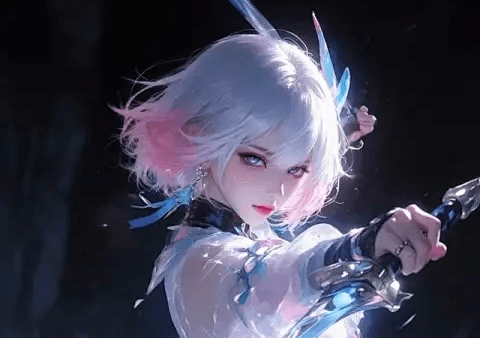
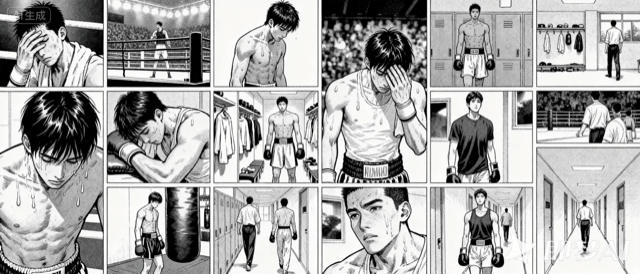
Most image models are English‑first. Ernie Image Turbo treats Chinese, Japanese, and English as equal citizens. The model accepts prompts in all three languages natively, without translation layers or degraded output quality — making it a strong choice for global creative teams, localized marketing workflows, and cultural‑specific aesthetics.
Try Ernie Image Turbo NowNot everyone writes like a prompt engineer. Ernie Image Turbo includes a built‑in lightweight Prompt Enhancer that automatically rewrites short, casual prompts into richer, more structured descriptions before passing them to the diffusion backbone. The system decomposes your intent into targeted instructions for subject placement, style, lighting, and composition.
Try Ernie Image Turbo Now
| Focus | What it means | Best use |
|---|---|---|
| 8‑Step Distilled Inference — Production Speed Without Sacrificing Quality | Traditional diffusion models require 50–100 denoising steps to produce a usable image. | Ernie Image Turbo |
| Native Multilingual Prompts — English, Chinese, Japanese, All First-Class | Most image models are English‑first. | Ernie Image Turbo |
| LLM‑Enhanced Prompt Expansion — Short Prompts, Rich Outputs | Not everyone writes like a prompt engineer. | Ernie Image Turbo |
Step 1
Create a free Elser AI account. In the image model selector, choose Ernie Image Turbo.
Step 2
Write a description in English, Chinese, or Japanese. The built‑in Prompt Enhancer will expand short prompts automatically. For best results, be specific about layout, text placement, and visual details — but the model handles brief prompts well.
Step 3
Select resolution (choose from 7 presets or custom dimensions), output format (PNG or JPEG), and number of images (1–4 per generation). Click generate — results in under 1 second for standard resolutions. Preview, iterate, and export when ready.
ERNIE-Image Turbo achieves industrial‑grade image generation in just 8 inference steps through DMD and RL optimization, maintaining semantic accuracy and visual quality while reducing hardware requirements to consumer GPUs. On a V100 GPU, it generates a 1024×1024 image in about 0.8 seconds — a 5–7× speedup over traditional models.
The LLM‑enhanced Prompt Enhancer automatically expands short user inputs into rich, structured descriptions before passing them to the diffusion backbone. You can write something as brief as ‘cyberpunk girl with a neon umbrella’ and the system turns it into a detailed production brief.
Ernie Image Turbo handles text rendering, multi‑subject composition, and structured layouts — posters, infographics, UI mockups — with reliable legibility. Supports English, Chinese, and Japanese prompts natively. No translation layer, no guesswork.
I ran 20 prompt variations in under a minute. Ernie Image Turbo isn‘t going to replace high‑end photorealism models — but for iteration, batch social content, and any workflow where speed is the constraint, it’s the tool I reach for first.
Finally, a model that handles Chinese text without garbled characters. Used it for a bilingual poster campaign — headlines in Chinese, body copy in English, both legible on the first run. No re‑generation, no post‑processing cleanup.
Everything you need to know about Ernie Image Turbo, quality tiers, editing capabilities, and best practices.
Ernie Image Turbo is Baidu‘s fast‑inference image generation model, released April 2026 as a distilled variant of the ERNIE‑Image 8B model. Built on a single‑stream Diffusion Transformer (DiT) architecture, it compresses full‑quality diffusion from 50 steps down to just 8 steps, producing images at roughly 6× the speed while maintaining strong visual quality. The model is open‑source under Apache 2.0 and runs on consumer GPUs with 24GB VRAM.
Three differentiators. First, 8‑step distilled inference — standard diffusion requires 50–100 steps; Turbo generates usable output in 8, enabling real‑time and high‑throughput use cases that full models can‘t support. Second, native multilingual prompting — English, Chinese, and Japanese are first‑class inputs; no translation layer, no quality degradation. Third, text rendering — the model was trained with character‑level supervision for accurate, legible text rendering in all three languages, making it genuinely useful for posters, infographics, and UI mockups.
Maximum resolution: 4K (4096×4096). Standard presets include square (1024×1024), portrait (848×1264, 768×1376), landscape (1264×848, 1200×896), portrait mid (896×1200), and cinematic wide (1376×768). Custom dimensions: any width and height up to 4096px. Output formats: PNG, JPEG.
Ernie Image Turbo accepts up to 4 reference images per generation request. Use them to guide composition, style, and subject consistency — brand assets, character designs, product shots.
Yes. Text rendering accuracy is the model‘s primary differentiator. It handles dense, layout‑sensitive text — posters with headlines and subheadings, infographics with data labels, UI mockups with navigation text — in English, Chinese, and Japanese. On LongTextBench, the model scored 0.9733, the highest on this benchmark for accurate text rendering in generated images. For mission‑critical typography requiring the absolute highest accuracy, use ERNIE‑Image (full) — but for most use cases, Turbo‘s text rendering is production‑ready.
Write naturally in English, Chinese, or Japanese. Include subject, action, environment, lighting, mood, and typography placement — in that order. For text‑in‑image outputs, wrap the exact literal string in double quotes and specify layout role (headline, subtitle, body).
Elser AI has integrated Ernie Image Turbo alongside other leading image models including Nano Banana 2, FLUX Max, GPT Image 2, and Midjourney V7. Sign up, select Ernie Image Turbo from the model selector, enter your prompt in English, Chinese, or Japanese, and generate — no API keys or complex infrastructure required.
The era of planned, coherent AI image generation has arrived.
Try Ernie Image Turbo on Elser AI