Which AI Video Model Keeps Characters Most Consistent in 2026?
Character consistency is the difference between a striking AI clip and a story people can follow. If the hero’s face changes after every cut, viewers stop watching the scene and start inspecting the errors. The good news is that the leading AI video models of 2026 offer more reference and control features than earlier systems. The less comfortable truth is that none of them guarantees perfect continuity.
So which AI video model keeps characters most consistent? For most creators, the honest answer is: the model that best accepts your references, preserves them during the motion you need, and lets you repair failures without regenerating the entire scene. Kling 3.0, Seedance 2.0, Google Veo 3.1, Runway Gen-4.5, and Luma Ray3.2 are all serious candidates, but they solve the problem differently.
This comparison uses current official documentation as of July 22, 2026 and a repeatable evaluation method. It does not pretend that vendor demos are independent benchmarks, and it does not claim hands-on test results we did not collect.
What “consistent character” actually means
Consistency has at least five layers:
1. Identity: face shape, eye spacing, age, skin tone, and recognizable features.
2. Design: hairstyle, clothing construction, accessories, palette, and body proportions.
3. Temporal coherence: the character remains stable from frame to frame inside one clip.
4. Cross-shot continuity: the character remains recognizable after a cut, angle change, or location change.
5. Performance continuity: posture, personality, energy, and emotional behavior still feel like the same person.
A model can succeed at one layer and fail another. A locked close-up may preserve identity while a running full-body shot breaks the outfit. A talking avatar may keep the face perfectly but offer less camera freedom. That is why one-number rankings are misleading.
The best candidates at a glance
Kling 3.0: strongest all-round multimodal candidate
Kuaishou’s official 2026 announcement describes Kling 3.0 as a multimodal model family spanning video, image, and Omni variants, with native audio and improved narrative control. The related Kling O1 materials specifically emphasize subject and scene consistency.
This makes Kling a logical first test for multi-character scenes, story-driven clips, and productions that want images, video, and sound inside one family. Its strength is breadth: you can provide more than a sentence and ask the system to coordinate multiple creative signals.
The risk is complexity. Every additional character, prop, camera move, and audio event increases the number of things that can drift. Kling should be tested with your real production conditions, not a single portrait.
Seedance 2.0: strongest when you already have creative inputs
Seedance 2.0 is built around flexible text, image, video, and audio inputs in supported products. That is helpful because consistency improves when the creator supplies a stronger visual anchor. A rough animatic, first frame, character sheet, or motion reference reduces the amount the model must invent.
Seedance is especially interesting for editing and transformation workflows: keep the underlying performance or timing, then change the visual treatment. Availability, model variants, and regional access can differ between platforms, so verify that you are actually using Seedance 2.0 rather than an older version or an unofficial wrapper.
Veo 3.1: strongest reference-driven cinematic option
Google DeepMind documents several controls relevant to continuity: reference “ingredients” for characters and objects, first-and-last-frame guidance, scene extension, and object insertion. Veo 3.1 also supports native audio in relevant workflows.
For creators, ingredients are the key idea. Instead of packing the entire identity into prose, you give the system visual material that represents the character or object. This can improve consistency across a controlled sequence, especially when paired with clear shot direction.
Google reports strong internal human-rater results for several Veo controls. Those results are useful evidence, but they are still vendor-run evaluations. A creator should test the exact style and motion required for the project.
Runway Gen-4.5: strongest workflow for iteration and repair
Runway Gen-4.5 currently supports text-to-video and image-to-video, while the broader Runway environment includes references, editing, asset organization, audio, and workflow tools. Consistency work is often an iteration problem, so the surrounding product matters.
Runway is attractive when you want to generate, compare, revise, and assemble many shots in one workspace. The reference image establishes the design; the video prompt should then focus on action, camera, and environment. If a clip is nearly right, editing or compositing may be cheaper than regenerating from zero.
Do not confuse Gen-4.5 with every Runway feature. Some reference or editing capabilities may use other models or modes, and plan access varies. Check the model selector and help documentation for the specific operation.
Luma Ray3.2: strongest for planned motion and keyframes
Luma’s Ray3.2 documentation emphasizes frame-level direction and up to sixteen keyframes. For a storyboard-driven production, that offers a different route to consistency: define important visual states across time instead of relying on one starting image and a long prompt.
Ray3.2 is a strong candidate when the character must hit exact poses, move through a designed shot, or match a sequence of boards. Luma also provides video modification and reframing tools that can preserve more of an approved performance.
The limitation is practical rather than conceptual: precise, high-quality generation can be costly, so solve the shot in draft mode before committing to final resolution or professional output formats.
How to run a fair character-consistency test
The fastest way to waste money is to give every model a different prompt and then declare a winner. Use a controlled test.
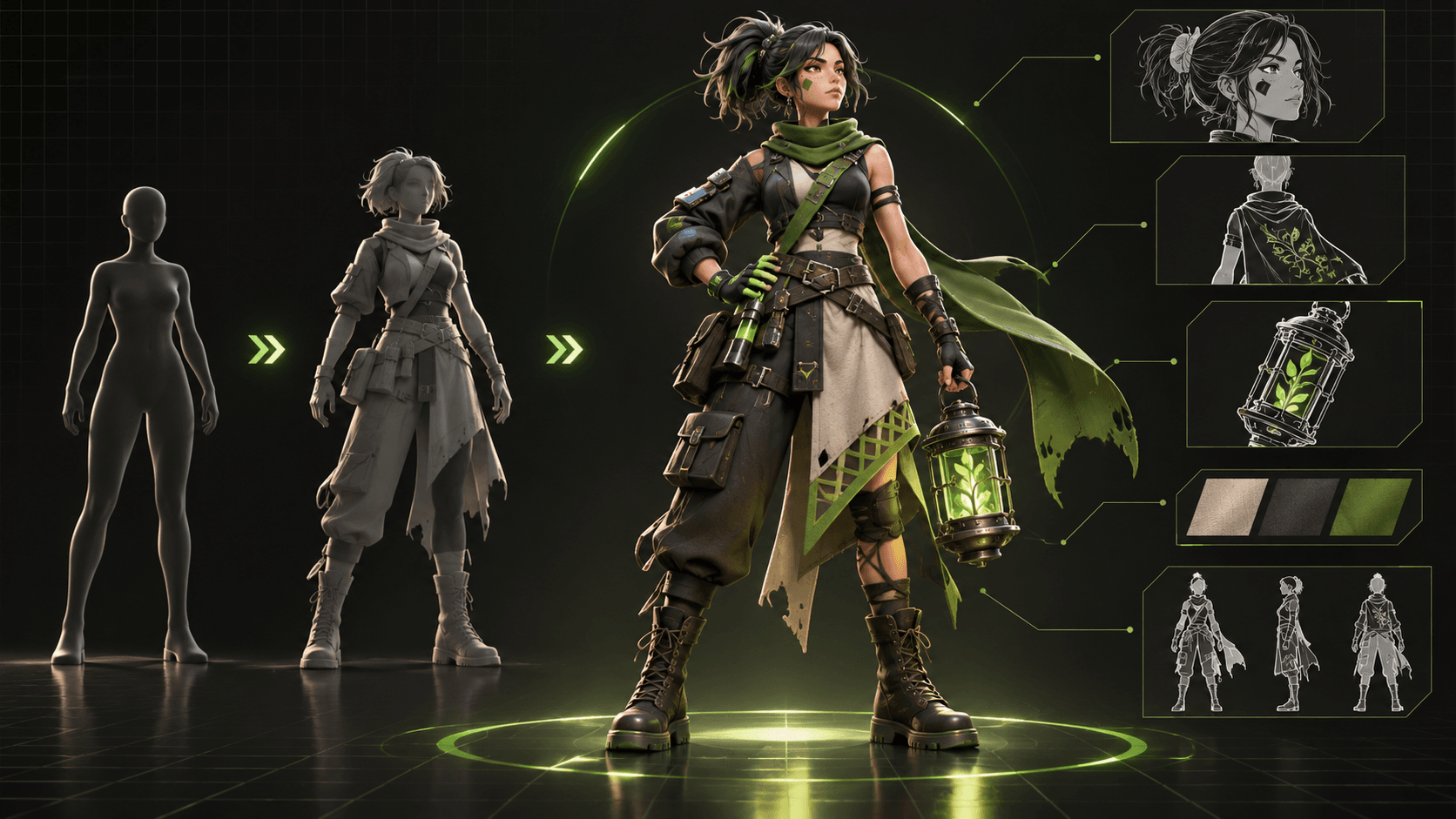
Step 1: build a compact character bible
Create six reference assets:
- Neutral front portrait
- Three-quarter portrait
- Profile
- Full-body neutral pose
- Expression sheet
- Outfit and accessory detail sheet
Write an identity block of no more than 120 words. Include only visible, stable traits: face shape, eyes, hair geometry, body proportions, clothing layers, palette, and one or two immutable accessories. Add negative constraints such as “no hairstyle changes” or “do not remove the red hairpin.”
If you use a workspace such as Elser AI to develop an original character, keep the approved character images and storyboard together. The platform currently includes character, comic, storyboard, video, lip-sync, and audio tools, which can reduce context loss between stages. The important point is not the brand; it is maintaining one source of truth.
Step 2: use the same three-shot test
Generate these shots in every candidate model:
Shot A: controlled close-up
“Medium close-up. Character turns from three-quarter view to camera and gives a restrained smile. Locked camera. Soft wind moves only the front hair strands.”
This tests facial identity and subtle temporal coherence.
Shot B: full-body action
“Full-body side view. Character runs three steps, stops, and draws a short sword. Coat and hair follow the motion. Camera tracks horizontally.”
This exposes proportion, clothing, hands, and action problems.
Shot C: interaction
“Character A hands a sealed envelope to Character B. Both remain in frame. Character B reacts with surprise. Slow push-in.”
This tests identity collisions, occlusion, object transfer, and multi-character control.
Use the same duration, aspect ratio, references, and prompt content wherever controls permit. Generate at least four samples per shot; one lucky output proves very little.
Step 3: score what viewers notice
Use a 100-point scorecard:
- Face identity: 25
- Hair and outfit: 20
- Body proportions: 15
- Frame-to-frame stability: 15
- Cross-shot match: 15
- Prompt and camera adherence: 10
Have two people score the clips without seeing the tool name. Blind review reduces brand expectations. Record failure types, not just totals. “Accessory disappears under motion” is actionable; “looks worse” is not.
Step 4: calculate usable-shot cost
Price per generation is not the same as cost per usable shot. Use:
usable-shot cost = total generation spend / number of approved shots
A cheap model that needs twenty attempts may cost more than a premium model that works in four. Include your review time and repair time if the project is commercial.
Why consistent characters still drift
The prompt is overloaded
When a prompt specifies identity, costume, scenery, camera, choreography, weather, lighting, dialogue, and music, the model must negotiate too many constraints. Move identity into references. Keep each shot prompt focused on change: what moves, how the camera behaves, and what must remain fixed.
The reference is ambiguous
An illustration with dramatic foreshortening, hidden clothing, or heavy effects may look impressive but provide weak identity information. Use clean reference sheets. Save the cinematic art for style guidance, not anatomy.
The shot is too long
Longer clips give drift more time to accumulate. Generate shorter beats and edit them together. In animation, a deliberate cut often feels better than one continuous AI move.
Two characters are visually similar
Models can blend characters with similar hair, palettes, and costumes. Give each character a distinct silhouette and color anchor. Name them consistently and specify screen position at the start of the shot.
A practical model-selection decision
Choose Kling 3.0 when you need a broad multimodal system and want to test complex narrative scenes with audio.
Choose Seedance 2.0 when you already have images, video, audio, or animatics and want the model to generate or edit around those inputs.
Choose Veo 3.1 when cinematic generation, audio, and reference ingredients fit your Google-based workflow.
Choose Runway Gen-4.5 when asset management, iteration, editing, and a production workspace are as important as the first generation.
Choose Luma Ray3.2 when you have boards or key poses and want detailed control over how the shot develops.
For a talking character or song performance, also test a specialized system such as HeyGen Avatar IV for stylized characters or Hedra Character 3. A specialized lip-sync model may preserve a face better than a general cinematic generator, although it may offer less full-scene freedom.
FAQ
Can one prompt keep the same character in every AI video?
Not reliably. Reuse clean visual references, stable identity wording, short shots, and the same generation settings. Treat the approved character sheet as the source of truth.
Is image-to-video more consistent than text-to-video?
Usually, yes, because the first frame provides explicit appearance information. It is not a guarantee: vigorous movement, occlusion, and camera rotation can still cause drift.
Which AI video model is best for two-character dialogue?
Kling 3.0, Seedance 2.0, and Veo 3.1 are reasonable general-model candidates. For locked or presenter-style dialogue, specialized avatar tools may be more reliable. Always test identity collision and turn-taking with your actual characters.
How can I fix face drift without regenerating everything?
Cut before the drift becomes visible, replace a short section, use video-to-video modification, composite an approved face where appropriate, or switch to a closer shot with less motion. Repair cost should be part of model selection.
Does native audio improve visual consistency?
Not automatically. Native audio can improve synchronization and reduce handoffs, but it adds another constraint. Evaluate face identity and lip sync separately.
Conclusion
There is no permanent champion for consistent AI video characters. Kling 3.0 offers broad multimodal ambition; Seedance 2.0 works well with supplied creative inputs; Veo 3.1 provides useful reference and cinematic controls; Runway Gen-4.5 supports an iterative production environment; and Luma Ray3.2 gives storyboard-minded creators detailed direction.
The dependable answer is a test, not a slogan. Build a clean character bible, run the same close-up, action, and interaction shots, score the results blind, and calculate the cost of an approved shot. That process will tell you more about character consistency than any launch demo.