GPT Image 2.6 Flare Guide: Generate Production Images in Seconds
GPT Image 2.6 Flare is designed for fast visual generation. OpenAI’s November 5, 2026 announcement says it can create images in roughly six seconds. The best use is not producing a larger pile of random pictures; it is running short, controlled experiments that quickly identify the composition, character direction or campaign concept worth refining.
Public developer documentation had not yet published Flare’s exact API identifier, price, availability, limits or supported settings when this guide was verified. The workflow below uses only the announced speed positioning and established production practices. Replace pending technical details after OpenAI’s official reference is updated.
Define the decision before generating
Every Flare batch should answer one question. “Make something good” is not a test. “Which composition keeps the product largest while leaving clean copy space?” is.
Write an asset brief with:
- destination and aspect ratio;
- viewing size;
- required subject;
- one communication goal;
- elements that must remain accurate;
- rights-cleared visual references;
- variables the batch is allowed to change;
- rejection conditions.
For a storyboard, the goal may be action clarity. For a thumbnail, it may be immediate subject recognition. For an ad, it may be product visibility without unverified claims inside the image.
Flare’s speed is most valuable when each result provides evidence for a decision.
Use variation lanes instead of random retries
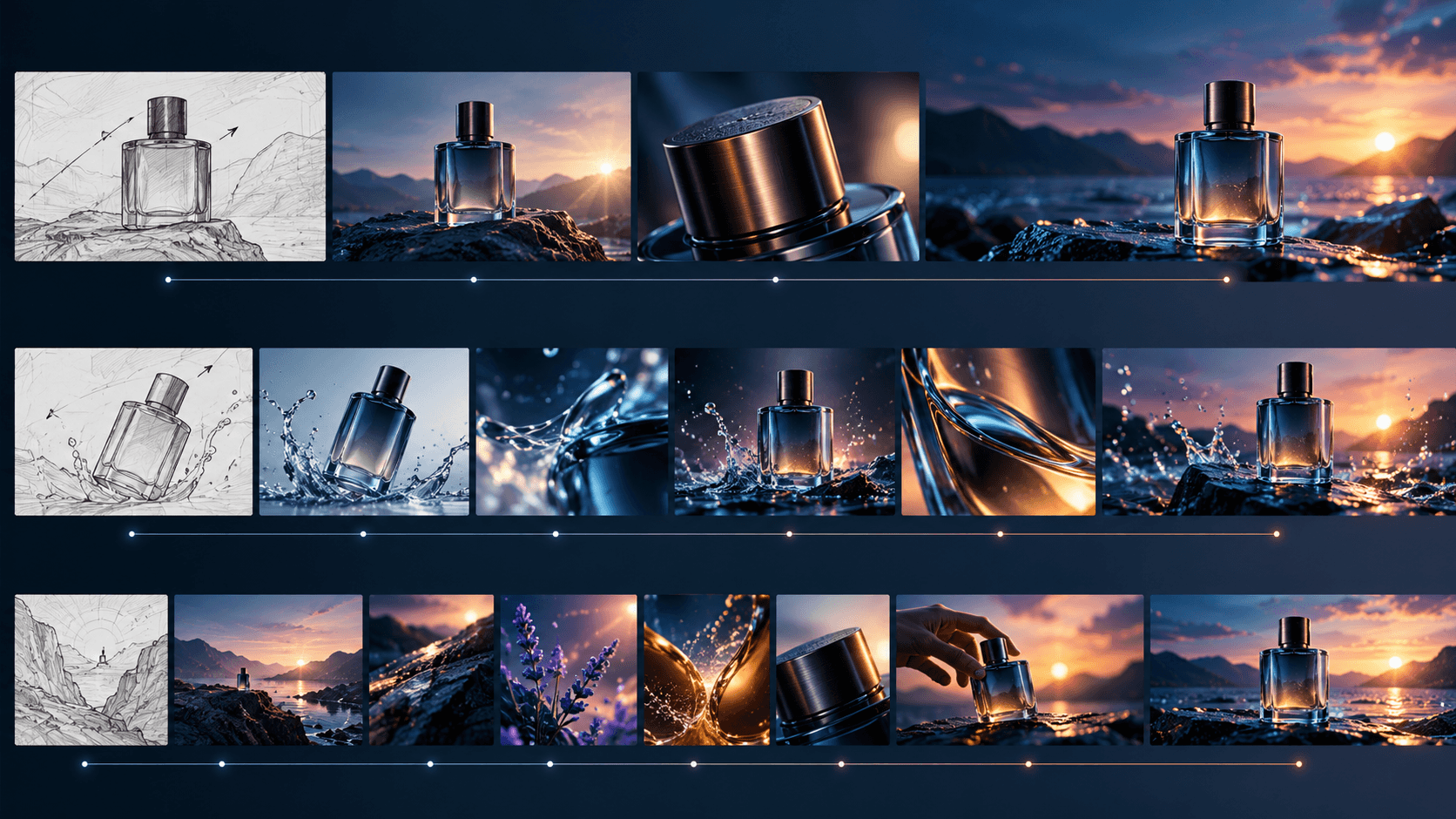
Create four to six lanes with deliberate differences. A product campaign might use:
- clean studio hero image;
- product in a realistic use environment;
- macro material detail;
- top-down arrangement;
- human interaction with the product;
- graphic silhouette with negative space.
Keep product identity and campaign goal fixed. Change one high-level variable per lane. If the prompts also change lens, lighting, palette, environment, pose and styling at once, the team cannot learn why one result works.
Name outputs by lane and iteration: studio-wide-v01, not final-new-7. Preserve the prompt beside the image.
Write prompts for fast evaluation
A useful Flare prompt is concrete enough to judge and short enough to revise. Structure it in this order:
- asset purpose;
- subject and observable action;
- environment;
- composition and camera;
- lighting and materials;
- delivery constraints;
- elements to avoid.
Example:
Draw a 16:9 storyboard frame for a suspense short. An adult bicycle courier stops beneath an empty elevated train platform and notices a small mechanical bird under a bench. Wide establishing shot at eye level, strong platform perspective, courier on left third, bird visible on right, midnight rain, sodium-vapor reflections, readable silhouettes, no text, no logos, no crowd, no dramatic action yet.
The prompt identifies the shot’s job. It does not bury the composition under aesthetic adjectives.
Generate storyboards for coverage, not polish
Flare is especially relevant to storyboards because sequence design requires many decisions before finish. Generate frames by narrative purpose:
- establish the location;
- reveal new information;
- show the character’s decision;
- provide a reaction;
- clarify geography;
- create the transition into the next beat.
Review the frames as a strip. A beautiful frame can fail if it repeats the previous shot, reverses screen direction or hides the essential prop. Reject it before spending time on detail.
For longer projects, move the approved board into ElserStudio. Its script and storyboard workflow can connect shots to canonical World assets for characters, locations and props, then preserve those references through generation and composition. The handoff should include frame, prompt, aspect ratio, intended duration and shot purpose.
This is an exported-asset workflow, not confirmation that Flare is currently available as a native ElserStudio provider.
Explore character designs by silhouette
Do not use fast generation to make twenty faces before the character has a role. Begin with a visual sentence: “adult storm archivist; compact guarded posture; asymmetrical waterproof layers; folding map frame; one bright safety stitch.”
Generate lanes for large shapes:
- compact versus elongated silhouette;
- protected versus open posture;
- tool carried at shoulder versus hip;
- short structured outer layer versus long flexible layer.
Review thumbnails in grayscale. Once the silhouette and outfit logic are approved, move the design into a precision-oriented edit stage. Save rejected concepts away from the active reference folder so they do not contaminate later character prompts.
Create thumbnail and cover options safely
Flare can test subject placement, contrast and negative space for Blog covers or video thumbnails. Generate the visual without final title text when exact typography matters. Add headlines in a design tool so spelling, accessibility and responsive cropping remain controlled.
Evaluate at the real display size. A complex face, tiny prop or soft value contrast may disappear on mobile. Crop the same candidate to 16:9, square and vertical only when the subject remains intact; otherwise generate a composition for each format.
Do not present a generated interface, product feature or result as a real screenshot unless it accurately represents the live product and is clearly labeled.
Produce ad concepts without inventing claims
Fast ad variation is useful for composition and visual angle, not for fabricating testimonials, performance numbers, prices or endorsements. Keep factual copy outside the generated image until it has been reviewed.
Create variants around one verified offer:
- product-only;
- problem context;
- use moment;
- material detail;
- before/after layout only when the comparison is real and documented.
Inspect hands, packaging, labels and product geometry. A fast, attractive output that changes the product is not ready for an advertisement.
Score results instead of choosing by mood
Use a simple review sheet with 0–2 points per category:
| Category | Question | | --- | --- | | Intent | Does the image answer the brief? | | Subject | Is the required subject accurate and readable? | | Composition | Does framing work at delivery size? | | Continuity | Can it connect to adjacent assets or shots? | | Repair effort | How much must be fixed? | | Rights and safety | Are inputs and output suitable for the intended use? |
Select the highest useful candidate, not the most detailed one. Record why it won. A review score makes later iteration less subjective.
Hand an approved Flare still to Elser AI
When one still captures the right moment, Elser AI Image Animator can use an uploaded image as the starting point for motion where the current product supports it. Separate still design from motion direction.
Write motion as change over time:
Slow push-in. The courier shifts weight, lowers the map case and turns toward the metallic sound. The mechanical bird blinks once. Rain continues; coat and loose hair move lightly. Preserve face, clothing, bird design, platform geometry and camera axis.
Generate a short test before building a sequence. Check face, hands, object integrity, camera movement and end-frame usefulness. The still may be approved while the animation still requires repair.
For a story with several shots, transfer the asset and its provenance into ElserStudio rather than leaving it in a downloads folder.
Know when to stop using Flare
Move out of rapid exploration when:
- the composition has been approved;
- the team is repeating nearly identical prompts;
- changes affect only small details;
- identity or product preservation becomes critical;
- review time exceeds generation time;
- the output is becoming a final deliverable.
At that point, use Sunburst if its documented editing behavior fits the task, or perform deterministic finishing in a design or editing application. Fast generation is a stage, not a complete quality system.
Maintain a generation ledger
Record model name, date, prompt, inputs, aspect ratio, settings, output file, reviewer, rejection reason and selected use. If Flare’s model identifier or API behavior changes during rollout, the ledger prevents assets from becoming untraceable.
Store rights notes for every uploaded reference. Do not use another artist’s work, a private person’s image or protected character as an unapproved shortcut.
Frequently asked questions
Does GPT Image 2.6 Flare always generate in six seconds?
The launch announcement says Flare can generate images in roughly six seconds. Actual latency may vary with workload, prompt, output and service conditions; official technical limits were not yet published.
Is Flare suitable for final images?
Possibly, when the result meets the brief. Its announced advantage is speed. Final suitability still depends on accuracy, rights, resolution and review.
Should I generate many images at once?
Only when each variation has a defined purpose and the team can review it. High volume without a decision framework creates waste.
Can Elser AI animate a Flare image?
Elser AI supports image-to-video workflows with uploaded images. Confirm current format, model and regional availability. This does not imply a native GPT Image 2.6 integration.
Conclusion
GPT Image 2.6 Flare should make visual decisions faster, not make review optional. Define the question, generate controlled lanes, score the results and stop when the direction is approved. Then use a precision editing stage, Elser AI for browser-based animation, or ElserStudio for a connected story-to-final-cut workflow.