What Is ElserStudio? A Guide to the Local-First AI Film Studio
A video generator answers a narrow question: “Can you make this shot?” A writer trying to adapt a story has a harder problem. Who is in the shot? What happened immediately before it? Does the character still wear the same coat? Which take belongs in the final sequence? ElserStudio is designed around that larger production problem.
ElserStudio is a local-first desktop workspace for taking a story or novel from source text to an edited video sequence. According to its official product page, it brings script breakdown, reusable characters and locations, shot generation, review, and composition onto one canvas. It is built by the Elser team, but it is not simply the browser-based Elser AI generator in a desktop window.
That distinction matters. A single beautiful clip is not a coherent film. ElserStudio organizes the decisions and assets that connect clips into a story.
What “AI film studio” means here
Think of the application as a production workspace with five connected layers:
- Source story: the prose or script you want to adapt.
- Screen interpretation: scenes, dialogue, characters, props, and an editable shot plan.
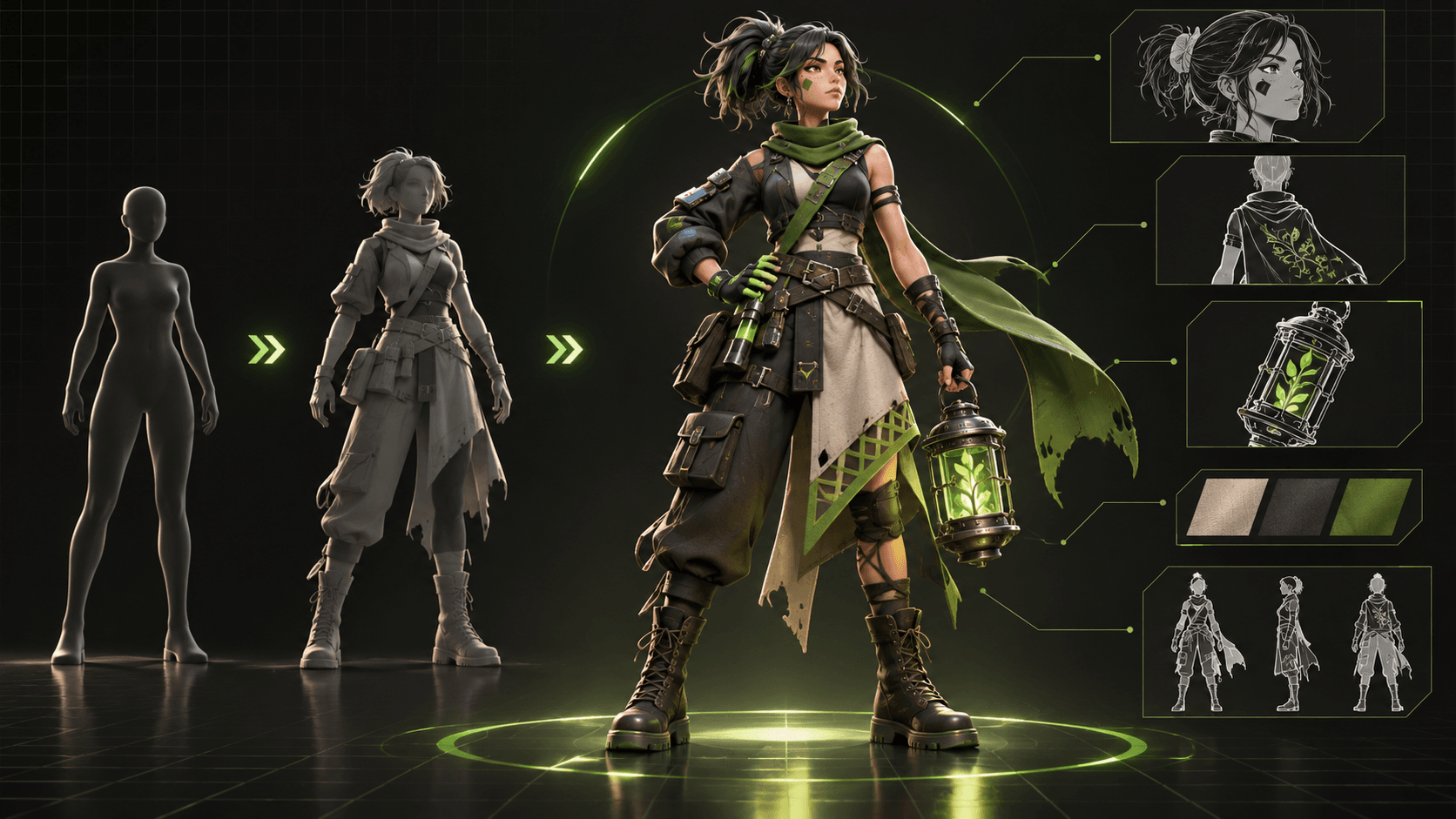
- World: reusable character, location, prop, and voice records.
- Generation: individual shots made with a configured AI provider.
- Composition: selected takes assembled and refined on a timeline.
The workflow is deliberately shot-based. You do not paste a novel and receive an automatically perfect feature film. You decide what belongs on screen, review what the model actually produced, and make editorial choices. The product guide describes importing TXT, Markdown, or PDF; preparing World assets; composing shot prompts; generating; reviewing; and assembling a final cut.
Why separate the World from the shot prompt?
A prompt can describe a character once. A production needs that identity repeatedly. In ElserStudio, the World holds canonical assets: a character sheet or reference, a description, a base prompt, and potentially a voice profile. A shot can point back to the same asset rather than inventing a fresh description each time.
This does not guarantee perfect consistency. Different models may still change faces, costumes, or proportions. The benefit is a stable reference and a place to diagnose drift. If a character looks wrong in shot seven, you can compare it against the canonical design and decide whether to revise the shot, reference, or take.
A concrete example: from a paragraph to a sequence
Suppose your scene reads: “Mara entered the abandoned station. Her brother’s suitcase sat beneath the departures board. A voice called her name.” That paragraph contains at least three visual beats: arrival, discovery, and reaction.
In ElserStudio, you could import the scene, inspect its script breakdown, and create three shots. Prepare Mara, the station, and the suitcase as reusable assets. Make shot one establish the station, shot two reveal the suitcase, and shot three hold on Mara’s reaction. Generate only those shots, judge each take against its purpose, then assemble the acceptable clips. That is a manageable proof of concept. It also exposes missing information: what Mara looks like, which suitcase is hers, where she stands, and whether the voice is on- or off-screen.
The application can help organize and generate. It cannot make the story decisions for you without trade-offs. If the discovery should feel suspicious rather than sentimental, you still need to direct framing, sound, and timing toward that effect.
What “local-first” does—and does not—promise
The phrase is easy to misunderstand. ElserStudio says project records, canvas state, assets, and editing live on your computer. AI generation still needs a network connection and a configured provider. Its local bring-your-own-key (BYOK) route sends requests directly to that provider and, per the official FAQ, does not require an ElserStudio account or platform credits. A cloud route is also described in the setup guide.
So “local-first” is not the same as “all models run offline,” “nothing ever leaves your machine,” or “generation is free.” Before using unpublished writing or private character art, examine your chosen provider’s data practices as well as ElserStudio’s own terms.
Who is it for?
ElserStudio is most compelling for writers, indie filmmakers, comic-drama creators, and small teams making multi-shot narrative video. These projects need a story structure, repeated characters, and an edit—not merely a prompt playground.
It may be more workspace than you need for one isolated social clip. It is also not a substitute for human direction, clearance of source rights, detailed sound finishing, or frame-by-frame animation. Its strongest promise is continuity of the production process: you can see how a passage, asset, shot, generated take, and edit relate to one another.
ElserStudio versus a browser generator
The Elser team also offers Elser AI for browser-based image and video creation. The distinction is not that one is “better” in every case. A browser generator can be the faster place to explore a single visual idea. ElserStudio is the place to evaluate when you need the same story, cast, and production decisions to persist across multiple shots and an edit. A writer making a concept clip may prefer speed; a creator making a chapter adaptation may value organization more.
Before choosing, ask yourself: Will I reuse a character in more than one scene? Do I need to compare takes? Must I know which visual reference informed a shot? Am I going to assemble a sequence here rather than exporting clips to another editor? If the answer to most is yes, a story-led workspace becomes more valuable. If your goal is only to generate one impressive image or short video, the additional production structure may be unnecessary.
What you should prepare before opening the app
Bring a passage you have the right to adapt, a sentence describing its visible turning point, and any existing character or location references. Decide whether your first test is a pitch sequence, a pilot scene, or a finished short. Check available storage and a network connection for generation. Decide whether you prefer the account-based cloud route or local BYOK, and review the chosen provider's pricing and data practices. These preparations are not busywork; they determine whether the first generation answers a real production question.
A sensible first project
Resist testing the product with a whole novel. Choose a short passage with one location, one or two speaking characters, and two or three shots. Define a visible action and a clear end frame for each shot. Generate the minimum needed to test the pipeline, then review the cut as a viewer. The official guide recommends a small “golden episode” before scaling to a chapter.
If that is the kind of story you want to make, explore ElserStudio and choose your setup route. You can start by downloading the desktop app; use a cloud account if that route suits you, or configure local BYOK where appropriate.
FAQ
Is ElserStudio an AI video generator?
Yes, but the product is broader than clip generation. It links story preparation, shared assets, shot generation, review, and timeline composition.
Can it make an entire movie from one prompt?
No reliable workflow should be presented that way. Long-form narrative work requires scene selection, asset preparation, multiple generated shots, quality review, and editing.
Does local-first mean offline generation?
No. Local project and editing work differs from AI generation, which uses a network-connected provider.
Do I have to register?
The official FAQ states that local BYOK does not require an ElserStudio account. Check the current site and app for requirements of any cloud-account route.
Conclusion
ElserStudio is best understood as a local-first story-to-film workspace, not a one-click movie button. Its value lies in making narrative decisions and recurring assets visible across a production. Start with a short scene, prove that its shots work together, and expand only after you have an edit worth building on.