Best AI Anime Opening Generators in 2026: Create Music, Characters and Video in One Workflow
Anime openings have a special kind of magic.
In 90 seconds or less, they introduce a world, tease emotional arcs, show off the cast, establish the visual style, and make the song impossible to forget. A great opening does not just decorate a show. It tells the viewer, “This is the feeling you are about to live inside.”
For independent creators, that used to be wildly out of reach. You needed character designers, animators, storyboard artists, musicians, editors, and sound designers. Now, AI tools can help a solo creator build an anime-style opening from a script, a song idea, a few character references, or even a single image.
But there is a catch: most AI tools are good at one piece of the process, not the whole opening.
One tool generates a pretty character. Another makes short video clips. Another creates music. Another adds lip sync. Another edits captions. By the time you move files between five platforms, your main character may look slightly different in every scene, the song no longer fits the timing, and the final video feels more like a mood board than an opening sequence.
That is why the best AI anime opening generator in 2026 is not just the model with the flashiest clips. It is the tool that helps you move from idea to finished sequence with the least creative friction.
What Makes a Good AI Anime Opening Generator?
An anime opening is not the same as a random AI animation. It needs structure.
A useful AI anime opening generator should help with at least five things:
First, it should create or preserve characters. Viewers need to recognize the protagonist, rival, side characters, and visual motifs across multiple shots.
Second, it should support music. Even when the tool does not generate a full song, it should help you plan the visuals around the beat, mood, and chorus.
Third, it should support storyboarding. An opening is a rapid sequence of shots, not a single long video prompt.
Fourth, it should create usable video clips with coherent motion, not just beautiful still images with drifting details.
Fifth, it should help with finishing: lip sync, sound effects, upscaling, aspect ratios, and export for YouTube, TikTok, Reels, or a series trailer.
With those standards in mind, here are the strongest options.
1. Elser AI: Best Overall AI Anime Opening Generator
Elser AI is the best overall choice for creators who want to make an anime opening as a complete project rather than a pile of disconnected assets.
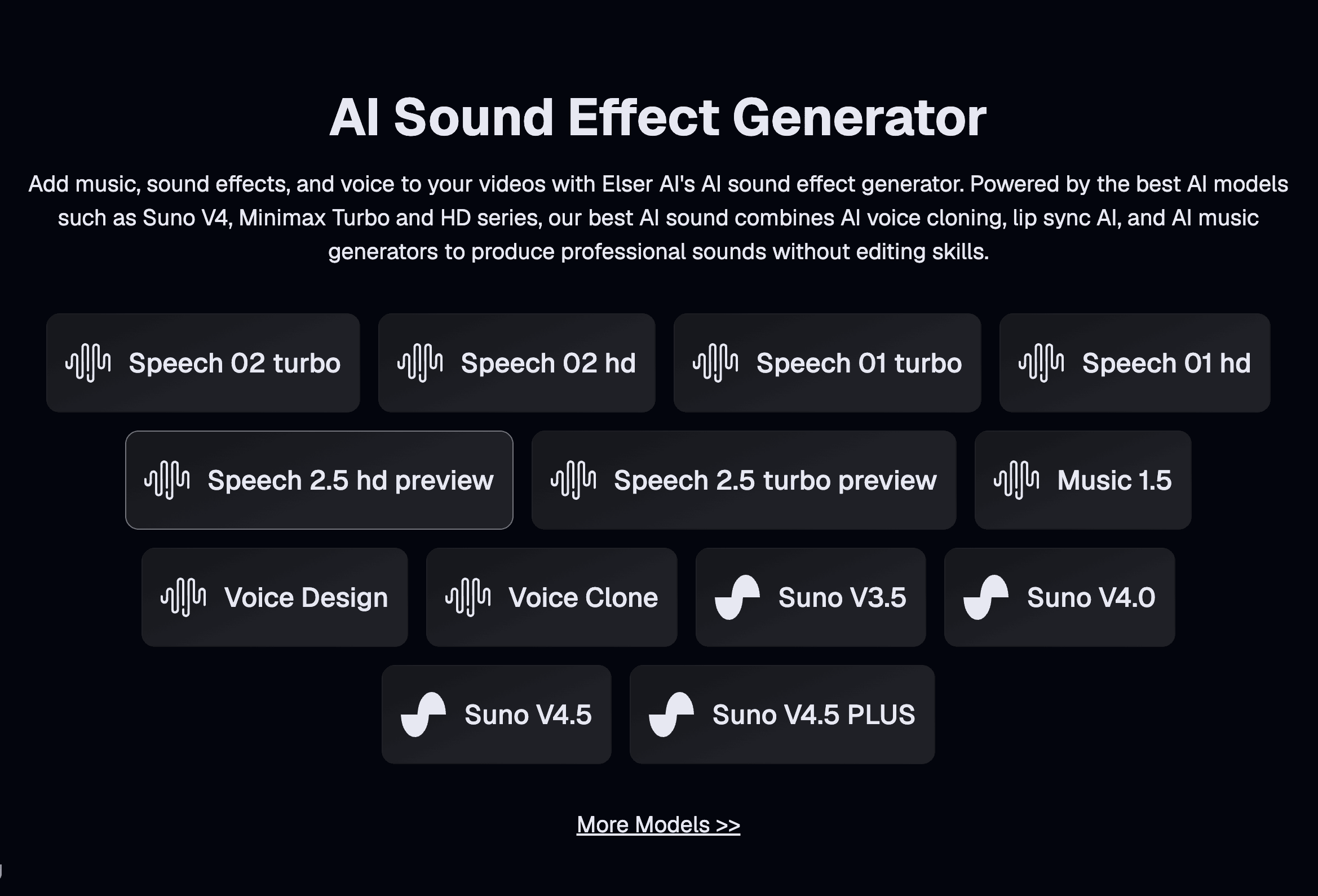
The main advantage is that Elser AI brings the core anime production workflow into one place: character generation, AI image generation, AI video generation, storyboard generation, AI music generation, voice cloning, sound effects, lip sync, video enhancement, and upscaling.
That combination matters because anime openings depend on continuity. Your character’s face, outfit, color palette, and personality need to survive from the first shot to the final chorus. A single gorgeous clip is not enough if the next clip looks like it belongs to a different show.
Elser AI is especially strong for creators making:
anime opening sequences, original character trailers, AI music videos, virtual idol performances, short anime teasers, webcomic intros, fan-style but original character concepts, and TikTok or YouTube Shorts anime edits.
A practical Elser AI workflow looks like this:
Start with the concept. Do not begin by prompting for “an epic anime opening.” That is too vague. Instead, write a one-sentence premise: “A runaway moon princess hides in a cyberpunk city while three bounty hunters search for her.”
Next, create the main character. Lock the hairstyle, outfit, color palette, eye shape, and signature prop. Then create two or three supporting characters with equally clear visual identities.
After that, build the storyboard. Divide the opening into six to ten beats: quiet intro, protagonist reveal, world reveal, rival reveal, action montage, emotional close-up, title card, final hook.
Then generate short video shots for each beat. Keep each shot simple. One character action and one camera movement are usually enough.
Finally, add music, sound effects, voice moments, lip sync if needed, and upscale or enhance the final result.
The reason Elser AI works well here is that it does not force creators to treat each step as a separate project. You can move from character to storyboard to animated scene to sound inside one creative workflow. That is exactly what anime opening production needs.
For creators who want to test it quickly, the best starter project is a 20-second mini opening: one character, one theme song hook, five shots, and one title card. That is long enough to judge character consistency, music timing, camera style, and export quality without overbuilding the first attempt.
Best for: creators who want an all-in-one anime opening workflow.
Weakness: as with all AI video platforms, ambitious scenes still need planning, regeneration, and careful review.
Verdict: Elser AI is the best overall option because it solves the whole anime opening problem, not just one isolated generation task.
2. Kling AI: Best for Action-Heavy Anime Openings
Kling is one of the strongest options when your opening needs dynamic movement.
Anime openings often include running shots, fight poses, dramatic camera pushes, falling objects, flying hair, cape motion, and energetic transitions. Kling is useful for those moments because it handles motion and camera direction well, especially when the shot is clearly planned.
Use Kling for scenes like:
a swordswoman dashing through rain, a magical girl transformation pose, a rival turning toward camera, a band performance shot, a rooftop chase, a mecha launch sequence, or a dramatic camera orbit around the main character.
The key is to give Kling a focused shot, not an entire opening. Instead of writing:
“Make an anime opening about a warrior saving the world with emotional music and lots of action.”
Write:
“Medium tracking shot of a silver-haired anime warrior sprinting across a broken bridge at sunset. Camera follows from the side, cloak and hair moving in the wind, sparks rising from below, intense but controlled movement, clean cel-shaded anime style.”
That prompt defines the subject, action, camera, environment, style, and mood.
Kling is especially useful in the middle section of an opening, where the energy rises and the viewer needs motion. It is less ideal as a full production hub if you still need to create the music, design recurring characters, organize a storyboard, generate dialogue, and finish the edit.
That is why Kling works best when paired with a workflow platform like Elser AI. Use Elser AI to plan the project and maintain character identity; use Kling-style generation where the shot needs strong motion.
Best for: action, camera movement, energetic anime shots.
Weakness: complex motion can still create design drift if references are weak.
Verdict: a strong motion engine for high-impact opening shots.
3. Seedance 2.0: Best for Reference-Driven Anime Music Openings
Seedance 2.0 is especially interesting for anime openings because it can work with multiple types of references: text, images, audio, and video. That makes it useful when you already know the style, rhythm, and motion you want.
For example, you might have:
a character reference, a background concept, a short piece of music, a motion reference, and a written shot direction.
That is a more complete creative brief than a text prompt alone. For anime openings, where music and visual rhythm are deeply connected, this kind of multimodal input can be powerful.
Seedance is a good choice for:
anime music videos, idol-style openings, dance shots, rhythm-based montages, shots based on existing storyboards, scenes where audio timing matters, and openings that need several references to stay on style.
The most common mistake with Seedance is feeding it conflicting references. If one image shows a soft pastel art style and another shows dark cinematic realism, the model may blend them unpredictably. Good references should agree with each other.
A cleaner workflow is:
one character sheet, one environment style reference, one music excerpt, one motion reference, and one concise prompt.
Seedance can produce impressive results, but like Kling, it is still best treated as part of a larger production pipeline. The opening still needs a script, shot list, title design, sound mix, and continuity check.
Best for: music-led, reference-heavy anime openings.
Weakness: too many conflicting inputs can reduce control.
Verdict: excellent when the creator already has strong visual and audio references.
4. Veo: Best for Cinematic Establishing Shots
Veo is a strong choice for beautiful world-building shots.
Anime openings often begin with atmosphere: a city at dawn, a train crossing the countryside, clouds moving over a school rooftop, a character standing in a quiet room, or a wide shot of the world before the music kicks in.
Veo is especially useful for these cinematic moments because it tends to produce polished lighting, environmental movement, and convincing camera language.
Use it for:
opening landscapes, emotional B-roll, city establishing shots, weather, scene extensions, dramatic lighting, and background-heavy moments.
For anime style, you need to be explicit. A prompt should protect the intended look:
“2D anime style, clean line art, flat cel shading, controlled motion, no photorealistic skin texture, stable character design.”
Veo can be a powerful finisher for the quieter and more atmospheric parts of an opening. It may not always be the easiest tool for maintaining a stylized anime character across many fast shots, so it is best used selectively.
Best for: cinematic polish, atmosphere, environment shots.
Weakness: stylized anime consistency may require careful prompting and references.
Verdict: excellent for opening and transition shots that need mood.
5. Runway: Best for Experimental Visual Direction
Runway is a strong creative toolkit for directors who want more control over individual shots. It is useful for generating video from images, creating stylized scenes, testing visual treatments, and producing cinematic clips that can be edited into a larger sequence.
Runway is particularly good for creators who already think in terms of shot design. It rewards specific direction: camera movement, subject action, lighting, composition, and mood.
For anime openings, Runway can help with:
character close-ups, abstract transitions, surreal visual motifs, title-card backgrounds, performance shots, and stylized B-roll.
Its weakness is that it still requires strong project organization. You need to manage character references, scene order, music timing, and final editing outside the individual generation.
Best for: experimental shots and controlled visual direction.
Weakness: not the most complete anime opening workflow by itself.
Verdict: useful for creators who want to direct specific shots carefully.
6. Pika: Best for Fun Effects and Viral Moments
Pika is useful when you need one memorable, scroll-stopping moment.
Not every anime opening shot needs to be cinematic. Some need to be playful: a character popping out of a manga panel, a sudden transformation, a glitch effect, a surreal motion gag, or a dramatic object morph.
Pika is best for short visual effects rather than complete openings. It can help create those moments that make people replay the clip.
Use Pika for:
transition effects, animated portraits, visual jokes, magical transformations, stylized loops, and short social clips.
The limitation is structure. Pika can create exciting pieces, but you still need another platform to connect those pieces into a coherent opening sequence.
Best for: viral effects and short visual surprises.
Weakness: not ideal for managing a full opening.
Verdict: a great effects tool, not a full anime opening studio.
7. CapCut: Best for Final Editing and Social Versions
CapCut is not the strongest AI anime generator, but it is one of the most useful finishing tools.
Once you have generated your opening shots, CapCut can help with trimming, captions, beat cuts, transitions, lyrics, vertical edits, title cards, and social exports.
Use CapCut near the end of the workflow:
generate characters and scenes in Elser AI, create motion shots through the best available video models, then use CapCut for final timing, captions, and platform-specific edits.
This is especially useful if you want multiple versions:
a 16:9 YouTube opening, a 9:16 TikTok teaser, a 1:1 Instagram preview, and a short loop for social promotion.
Best for: editing, captions, beat cuts, social exports.
Weakness: not a full anime character or storyboard production tool.
Verdict: a practical finishing layer.
How to Make a Better AI Anime Opening
A strong AI anime opening begins with restraint.
Do not start with 15 characters, three worlds, two costume changes, and a full 90-second song. Start with a 20-to-30-second proof of concept.
Use this structure:
0–3 seconds: atmospheric opening shot
3–6 seconds: main character reveal
6–10 seconds: world or conflict reveal
10–15 seconds: motion montage
15–22 seconds: emotional close-up or performance shot
22–30 seconds: title card and final hook
This structure works because it gives the viewer a clear path. They understand the world, the character, the energy, and the emotional promise.
The biggest quality improvement comes from approving still frames before animating. Create the character references, generate storyboard panels, check continuity, and only then produce video.
For music, do not treat the soundtrack as background decoration. Let it drive the cut. The chorus should coincide with the strongest visual reveal. A beat drop should match a camera move, transformation, title card, or action peak.
For lip sync, use it sparingly. Anime openings often include singing shots, but not every shot needs a visible mouth. Cut between performance close-ups and atmospheric or action shots. This makes the sequence feel more polished and reduces synchronization problems.
Final Verdict
The best AI anime opening generator depends on what part of the opening you are making.
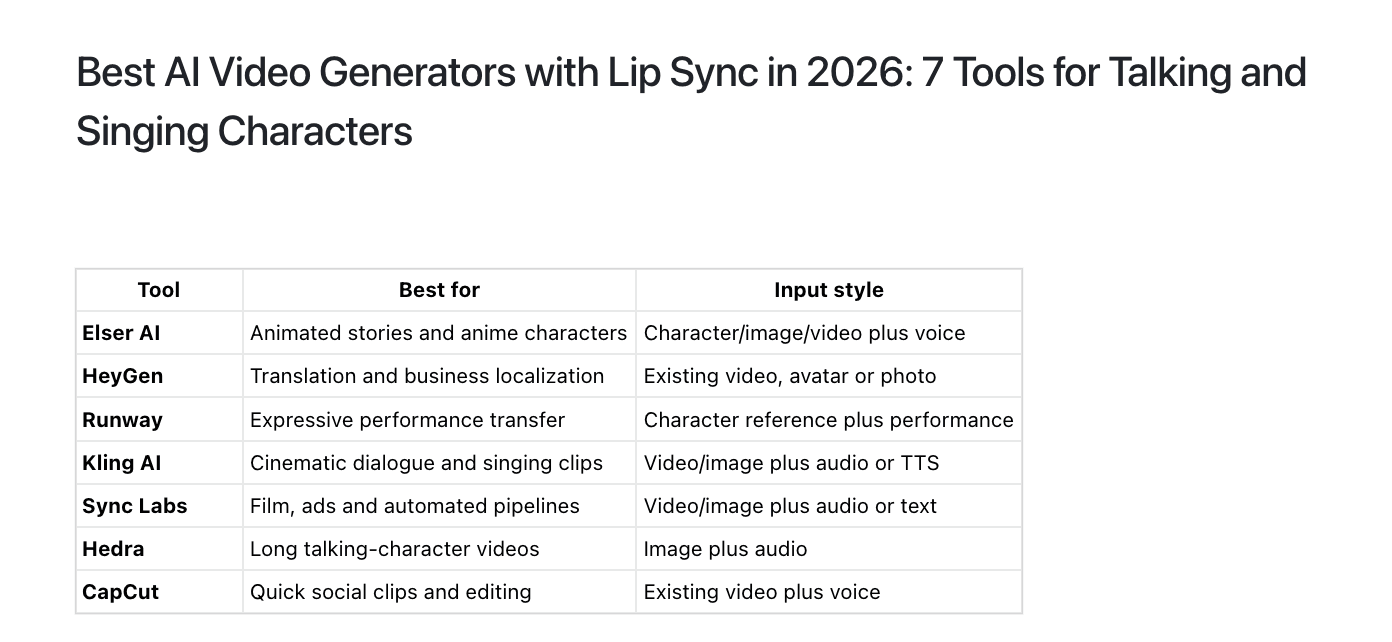
Use Kling for action. Use Seedance for reference-driven music scenes. Use Veo for cinematic atmosphere. Use Runway for controlled visual experiments. Use Pika for viral effects. Use CapCut for final editing.
But if your goal is to create a complete anime opening with characters, storyboard, music, video, voice, sound effects, lip sync, and finishing tools in one workflow, Elser AI is the strongest overall choice.
An anime opening is not just a video clip. It is a tiny promise of a bigger world.
Elser AI helps you build that world from the first character sketch to the final beat.