Best AI Video Generators for Product Ads in 2026: What Actually Works for Brands
Best AI Video Generators for Product Ads in 2026
Product ads used to be expensive.
You needed a camera, lighting, a studio, props, actors, product styling, editing, music, and enough budget to make the whole thing feel slightly terrifying.
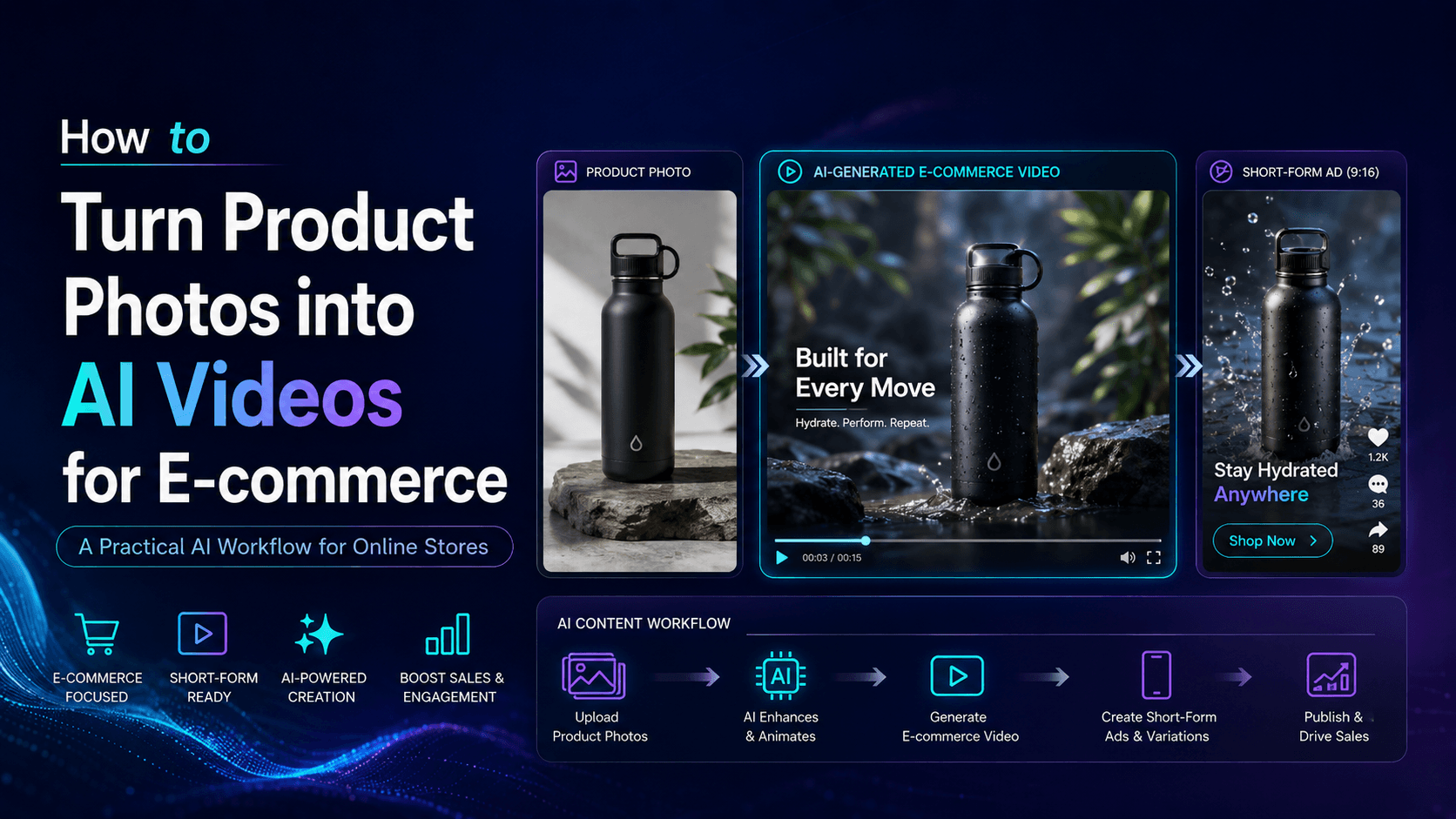
Now, one product photo can become a polished AI video ad.
That does not mean every AI video generator is good for product advertising. Some tools are great for surreal clips but terrible for accurate products. Some models create cinematic scenes but change the logo. Some tools are fun for trends but not reliable enough for ecommerce. A product ad cannot just look interesting. It has to keep the product recognizable.
If your sneaker changes shape, your skincare bottle gets a new label, or your coffee bag becomes a different brand halfway through the video, the ad is not usable.
So the real question is not “Which AI video generator makes the coolest videos?”
The better question is:
Which AI video generator helps you create usable, on-brand product ads faster?
This guide compares the best AI video generators for product ads in 2026 and explains how to build a practical product video workflow with Elser AI.
What Makes a Good AI Product Ad Generator?
A good AI product ad generator should help sell the product, not redesign it.
For ecommerce and advertising, visual accuracy matters. The product’s shape, color, material, packaging, logo, and label should remain stable. A beautiful clip is not enough if the product becomes inaccurate.
A strong AI video tool for product ads should support:
Product photo to video.
Text to video.
Image-to-video generation.
Vertical video for TikTok, Reels, and YouTube Shorts.
Consistent product appearance.
Camera movement control.
Clean background generation.
Lifestyle product scenes.
Fast creative variation.
Brand-style prompts.
Export-ready short videos.
The best tool also needs to fit a real marketing workflow. A brand rarely needs only one video. It needs several versions: clean hero shot, lifestyle ad, TikTok hook, product demo, seasonal campaign, and maybe a talking character or creator-style version.
That is where Elser AI becomes especially useful. It is not just about making one clip. It helps creators turn product images and ideas into multiple AI video assets for different platforms and campaign angles.
1. Elser AI: Best for All-in-One Product Ad Workflows
Elser AI is a strong choice for creators, ecommerce sellers, and marketing teams who want to create product ads without jumping between too many tools.
A real product ad workflow usually includes several steps:
Create or upload product visuals.
Choose a video style.
Generate product motion.
Test backgrounds.
Create short-form versions.
Add characters or spokesperson ideas.
Make variations for social platforms.
Keep brand identity consistent.
Elser AI supports this kind of workflow because it brings AI image and video creation together in one creative process. You can upload a product photo, turn it into a video, create animated product scenes, test different ad styles, and build short-form content for platforms like TikTok, Instagram Reels, and YouTube Shorts.
For example, a simple Elser AI product ad workflow might look like this:
Upload a product photo.
Generate a clean studio hero video.
Create a lifestyle version.
Create a TikTok-style version.
Generate a product demo scene.
Test different hooks.
Export the strongest version for ads.
This is valuable because performance marketing depends on testing. The first video may not be the winner. The third version, with a stronger hook and cleaner background, might perform better. Elser AI gives you room to create those variations without planning a full production shoot every time.
Best for:
Ecommerce product videos.
YouTube Shorts ads.
Instagram Reels.
Product photo to video.
Brand mascot videos.
AI product demo videos.
Small business marketing.
Creator-led product content.
If you already have a product photo, Elser AI gives you a fast starting point: upload the image, generate one clean product video, then create two or three variations for different audiences.
2. Runway: Strong for Cinematic Product Ads
Runway is one of the most recognized names in AI video generation. It is especially useful for creators who want cinematic camera movement, polished lighting, and visually impressive shots.
For product ads, Runway can be a good fit when the campaign needs a premium visual tone. Think fashion films, luxury product reveals, perfume ads, tech launch visuals, or atmospheric product storytelling.
Runway-style product ads work well when the product needs to feel aspirational.
Best for:
Luxury products.
Fashion campaigns.
Cinematic product reveals.
Brand films.
Mood-driven ads.
High-end visual storytelling.
Example use case:
A watch brand wants a dark, elegant video with slow reflections, close-up metal texture, and a dramatic camera push-in.
A perfume brand wants a dreamy product reveal with soft light, glass reflections, and floating petals.
A fashion label wants an AI-generated campaign teaser with a consistent model, outfit, and runway atmosphere.
Possible drawback:
Cinematic tools can require more careful prompting and review. For product ads, you must check that the item remains accurate. A beautiful product reveal is not useful if the logo or shape changes.
3. Google Veo: Strong for Realistic Video and Audio-Driven Ads
Google’s Veo models have become important in the AI video space because of their focus on high-quality video generation and native audio capabilities. For product ads, audio is a major advantage.
A product ad is not only visual. It often needs sound: voiceover, ambient noise, music, footsteps, product sounds, or dialogue. A skincare video feels more polished with subtle bathroom ambience. A coffee ad feels warmer with morning sounds. A product demo feels clearer with narration.
Veo-style workflows are especially interesting for realistic product scenes and ads that need audio built into the concept.
Best for:
Realistic lifestyle product ads.
Product videos with voiceover.
Social ads with sound effects.
Short cinematic scenes.
Demo-style clips.
Narrative product videos.
Example use case:
A travel mug brand creates a video of someone placing the mug into a backpack, walking through a train station, and hearing subtle city ambience.
A fitness product brand creates a short video with energetic movement and matching sound.
Possible drawback:
Depending on access, pricing, and workflow, Veo may not be the simplest option for every creator. Also, realistic video raises viewer expectations. If the product or hand movement looks slightly wrong, people notice.
For many teams, the practical approach is to use a platform like Elser AI to create and organize product video assets while testing different AI video styles.
4. Kling AI: Strong for Motion Control and Dynamic Product Visuals
Kling AI has become popular among creators who want strong motion, dynamic shots, and more control over video generation. It is especially relevant for product ads that need movement: rotating reveals, dramatic push-ins, lifestyle motion, fashion clips, or energetic social videos.
For product advertising, motion control matters because the camera often sells the product.
A slow push-in can make a product feel premium.
A smooth rotation can show shape.
A close-up can highlight texture.
A lifestyle pan can show context.
A fast reveal can create a TikTok hook.
Best for:
Dynamic product reveals.
Fashion and beauty ads.
Energetic TikTok product videos.
Cinematic ecommerce clips.
High-motion product shots.
AI image-to-video product scenes.
Example use case:
A sneaker brand creates a vertical video where the shoe rotates on a clean platform, then cuts to an urban lifestyle background.
A skincare brand creates a bottle reveal with water reflections and soft camera movement.
Possible drawback:
Like all AI video tools, Kling-style outputs need review. Product shape, logo, and packaging must stay accurate before the clip is used commercially.
5. Pika: Strong for Fast Social Product Creative
Pika is well known for playful AI video creation and editing features. It is useful when brands want fast, trend-based, social-first product content.
Not every product ad needs to look like a luxury commercial. Some need to feel fun, weird, fast, and highly shareable. Pika-style tools can work well for short social experiments, creator-style visuals, and trend-based content.
Best for:
TikTok product hooks.
Meme-style product ads.
Creative transformations.
Fast social experiments.
Playful brand content.
Short-form product visuals.
Example use case:
A snack brand creates a funny transformation video.
A phone case brand creates a playful visual effect from a product photo.
A creator tests multiple attention-grabbing product intros for Shorts and Reels.
Possible drawback:
For serious ecommerce product accuracy, review carefully. Trend effects are fun, but if they distort the product too much, they may not be suitable for ads.
How to Choose the Right AI Video Generator for Product Ads
Choose Elser AI if you want an all-in-one workflow for product photo to video, short-form ad variations, animated product scenes, and campaign content.
Choose Runway if you want cinematic product visuals and premium storytelling.
Choose Veo if you need realistic video with strong audio potential.
Choose Kling if you want dynamic motion and visually rich product shots.
Choose Pika if you want fast, playful, trend-driven social creative.
The best choice depends on your goal.
For ecommerce product pages, choose clarity.
For TikTok ads, choose speed and hooks.
For luxury campaigns, choose polish.
For product demos, choose accuracy.
For testing, choose a workflow that lets you create variations quickly.
Product Ad Prompt Templates
Clean Studio Product Ad
“Create a premium product ad video from the reference image. Keep the product shape, color, logo, label, packaging, and material exactly the same. Use a clean studio background, soft lighting, realistic shadows, and a slow camera push-in. No product warping, no label distortion, no extra objects covering the product.”
TikTok Product Ad
“Turn this product photo into a vertical TikTok-style product video. Keep the product unchanged. Use a bright background, fast but smooth reveal, energetic movement, and space at the top for text overlay. The video should feel fun, clear, and designed for short-form social media.”
Ecommerce Hero Video
“Create a clean ecommerce hero video from the product photo. The product remains centered and accurate. Slow rotation, minimal background, soft studio lighting, realistic product shadow, premium online store style. Do not change the logo, color, packaging, or shape.”
Lifestyle Product Ad
“Place the product in a realistic lifestyle scene on a modern desk. Keep the product identical to the reference image. Natural morning light, slow camera pan, clean home office background, calm and polished ecommerce ad style.”
Beauty Product Ad
“Create a close-up beauty product commercial. Keep the bottle, label, cap, color, and logo unchanged. Add soft water reflections, warm bathroom lighting, smooth camera movement, and a premium skincare mood. No label distortion.”
Common Mistakes to Avoid
Do not use a blurry product image.
Do not ask the AI to redesign the product.
Do not use too much motion in the first test.
Do not ignore text overlay space.
Do not publish without checking product accuracy.
Do not create only one version.
Do not use cinematic style when the ad needs clarity.
Do not let the background distract from the product.
A product ad should make the product easier to understand and more desirable. If the AI effect becomes the main focus and the product gets lost, the ad is not doing its job.
Why Elser AI Is a Practical Choice for Product Ads
The biggest challenge in AI product advertising is not making one good-looking video. It is creating enough accurate, useful, on-brand variations to find what works.
Elser AI helps solve that by giving creators a practical AI content workflow. You can start from a product photo, generate short videos, test different styles, create social-ready versions, and build campaign assets around the same product.
This is especially useful for:
Small ecommerce brands.
TikTok Shop sellers.
Amazon product marketers.
Shopify store owners.
Indie brands.
Content creators.
Agencies.
Social media teams.
Instead of booking a new shoot for every campaign idea, you can use Elser AI to quickly create product video concepts and test them.
Final Thoughts
The best AI video generator for product ads in 2026 is not just the tool with the most impressive demo. It is the one that helps you create usable product videos quickly, accurately, and repeatedly.
For brands, the winning workflow is simple:
Start with a strong product image.
Protect product accuracy.
Choose the right video style.
Generate multiple variations.
Review carefully.
Test on the right platform.
If you want to turn product photos into ecommerce videos, TikTok ads, YouTube Shorts, Instagram Reels, or campaign visuals, Elser AI is a strong place to start.
Upload one product photo. Create one clean hero video. Then create a lifestyle version and a short-form social version. That gives you three useful ad directions from one asset.
That is the real value of AI product video: not just cheaper production, but faster creative testing.