How to Turn Product Photos into AI Videos for E-commerce
A product photo can show what you sell, but a product video can make people feel why they should care. That is the simple reason ecommerce brands are moving so quickly toward AI video. A clean product image is useful, but it often sits still on the page. A short video can show texture, scale, mood, movement, lifestyle context, and emotional value in just a few seconds. For a shopper scrolling through TikTok, Instagram Reels, YouTube Shorts, or a product page, that difference matters.
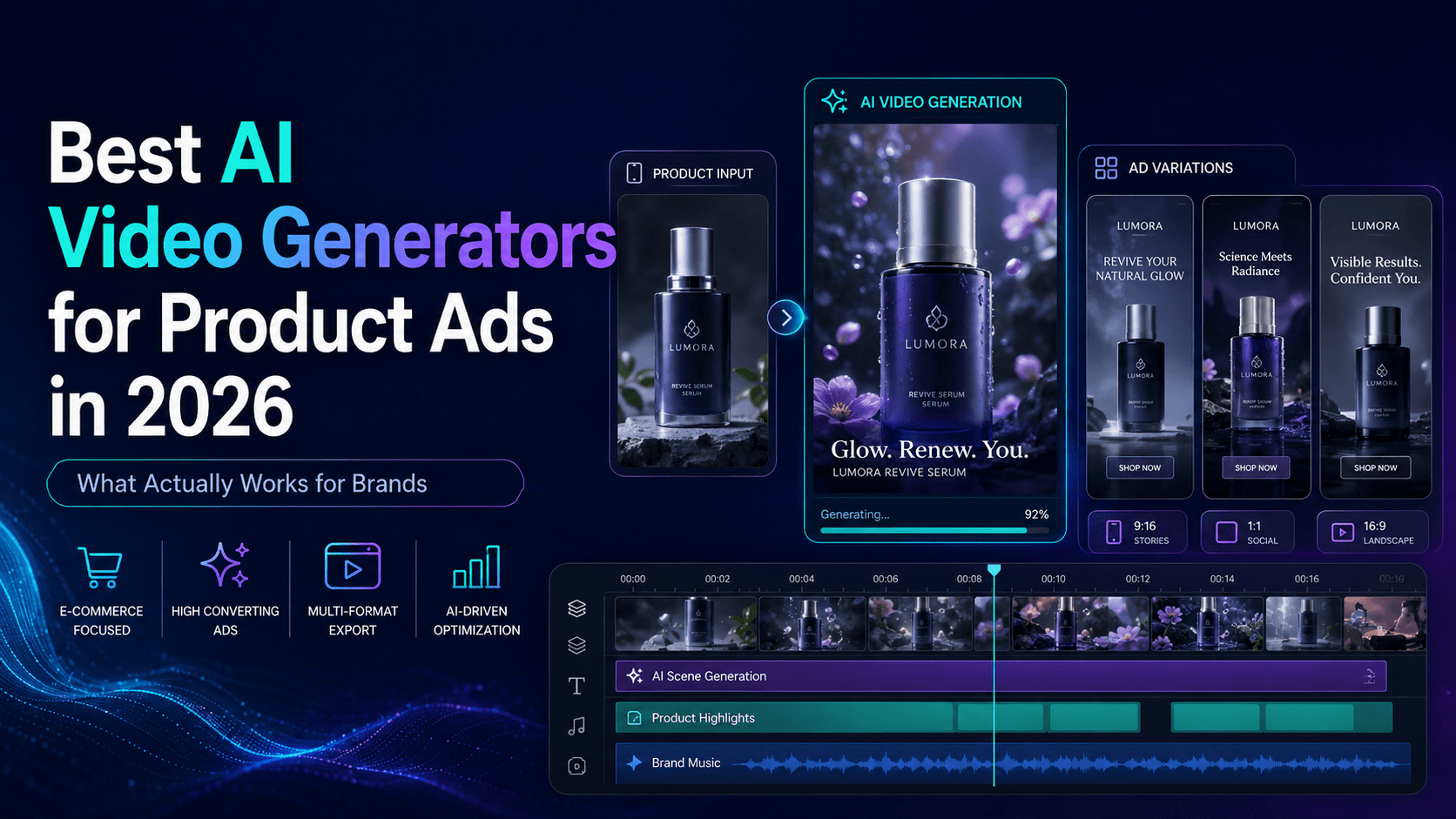
The old problem was production cost. Even a simple product video could require a studio corner, lights, props, a camera, editing software, music, and several rounds of reshoots. For small ecommerce stores, indie brands, Shopify sellers, TikTok Shop creators, and solo founders, that workflow was often too slow. AI image-to-video tools changed the equation. Now, a single product photo can become a product reveal, a lifestyle scene, a vertical social ad, a clean ecommerce hero video, or a short promotional clip.
But there is an important catch: turning product photos into AI videos is not the same as making random AI art. For ecommerce, accuracy matters. The product must still look like the real product. The shape should not change. The logo should not melt. The packaging should not become a different design. The color should stay close to the real item. A visually impressive AI clip is not useful if it misrepresents what the customer will receive.
That is why the best workflow is not “upload a product photo and hope.” It is a controlled process: prepare the image, define the video purpose, protect the product details, choose the right style, generate a short clip, review accuracy, and then create variations for different channels. Elser AI is useful here because it lets creators move from product image to AI video content in one practical workflow, instead of bouncing between disconnected tools.
Start with the Right Product Photo
The quality of your AI product video depends heavily on the photo you start with. A blurry image, a bad crop, or a cluttered background gives the model too much room to guess. And when AI guesses, ecommerce products can become inaccurate. A bottle label may shift, a sneaker sole may change, a handbag strap may move to the wrong side, or a product logo may turn into unreadable decoration.
A strong source photo should show the product clearly. The product should be in focus, well lit, and easy to separate from the background. If the logo or label matters, it should be visible in the original image. If you are selling shoes, show the shape and side profile clearly. If you are selling skincare, make sure the bottle, cap, label, and material are easy to read. If you are selling bags, accessories, gadgets, or home decor, avoid photos where important edges are hidden by props or shadows.
The best image is not always the prettiest lifestyle photo. For AI product video generation, a clean product photo is often better than a busy scene. You can always add a lifestyle background later. What you cannot easily fix is a source image where the product itself is unclear. In Elser AI, start with the cleanest product image you have, then use your prompt to build the scene around it. Treat the product photo as the anchor, not just as inspiration.
A useful starting instruction is: “Keep the product shape, color, logo, packaging, label, material, and proportions exactly the same as the reference image.” This sentence may sound basic, but it is one of the most important lines in an ecommerce AI video prompt. It tells the model that creativity should happen around the product, not to the product.
Decide What the Video Needs to Do
Before you generate anything, decide the job of the video. A product page video, a TikTok ad, a homepage hero clip, and a paid social ad should not all look the same. Each one has a different purpose.
A product page video should build trust. It should help shoppers understand the product clearly. It can be slower, cleaner, and more realistic. A TikTok product video needs a stronger hook. It should grab attention fast, leave space for captions, and communicate the value almost instantly. A premium brand video may need soft lighting, elegant camera movement, and a more cinematic pace. A product demo should focus on function, not just beauty.
This is where many AI product videos fail. They look cool, but they do not answer a shopper’s question. If you sell a travel mug, the viewer may want to understand whether it is leak-proof, portable, stylish, or suitable for commuting. If you sell a desk lamp, the viewer may want to see the lighting mood and how it fits into a workspace. If you sell a skincare product, the viewer may want to feel cleanliness, softness, freshness, and trust.
A good way to prepare your prompt is to write one sentence before generating: “This video should make shoppers understand that…” For example: “This video should make shoppers understand that this bag is compact but fits daily essentials.” Or: “This video should make shoppers understand that this serum feels premium, clean, and easy to use.” That sentence becomes the creative direction.
Elser AI works well for this because you can generate multiple versions from the same product image. You might create one clean ecommerce hero video, one lifestyle scene, and one fast TikTok-style ad. The product stays the same, but the marketing angle changes.
Build the Scene Around the Product
Once the product image and goal are clear, choose the visual environment. The background should support the product rather than compete with it. For ecommerce, simple usually wins.
A skincare product might work best on a clean bathroom counter with soft reflections and warm morning light. A coffee product might sit in a cozy kitchen with steam and a calm morning mood. A tech accessory might belong on a modern desk beside a laptop, notebook, and soft shadows. Sneakers might need an urban streetwear environment with energetic movement. Jewelry may need darker lighting, close-up reflections, and a slower luxury feel.
The key is to match the scene to the buying emotion. If the product is practical, show clarity and use. If the product is premium, show detail and atmosphere. If the product is fun, use stronger motion and color. If the product is for TikTok Shop, make the first two seconds visually obvious and easy to understand.
A strong ecommerce prompt might look like this:
“Turn this product photo into a short ecommerce product video. Keep the product shape, color, logo, label, packaging, and material exactly the same. Place the product on a clean modern desk with soft morning light. Use a slow camera push-in and realistic shadows. The video should feel polished, trustworthy, and suitable for a Shopify product page. No product warping, no label distortion, no new packaging details.”
This prompt is not overly complicated. It gives the model a product lock, a scene, a camera move, a mood, and a quality control rule. That is usually better than writing a long cinematic paragraph with ten conflicting ideas.
Keep Motion Simple and Useful
AI video makes motion easy, but ecommerce videos should not move just for the sake of moving. The best product motion is usually controlled: a slow push-in, a gentle rotation, a clean reveal, a soft light sweep, a hand placing the product on a table, or a simple before-and-after transition. These movements help the viewer focus on the product.
Big motion can look impressive, but it also increases risk. Fast spinning, explosions, floating products, complex hand interactions, dramatic background transformations, and chaotic camera movement can cause product distortion. If your product is real and you want to use the video commercially, stable and accurate usually beats wild and unpredictable.
For your first generation in Elser AI, keep the motion modest. Ask for a six-second product hero video. Let the camera move slowly. Keep the product centered. Preserve the packaging. Once you have a stable version, create more expressive variations. This staged approach gives you better results than trying to create a full viral ad in one generation.
For example, start with:
“Create a six-second vertical ecommerce video from the product photo. The product stays centered and unchanged. Use a slow camera push-in, soft studio lighting, realistic shadow, and clean background. Leave space at the top for text overlay. Do not change the product shape, color, label, logo, or packaging.”
After that works, create a TikTok version:
“Create a vertical TikTok-style product video from the same product photo. Keep the product accurate and unchanged. Use a quick but smooth reveal, bright lifestyle background, energetic motion, and clean space for captions. The video should feel modern, fun, and easy to understand in the first two seconds.”
This is how you build a real creative testing workflow.
Create Variations for Each Ecommerce Channel
One product video is rarely enough. A Shopify product page, a TikTok ad, an Instagram Reel, a YouTube Short, an email campaign, and a landing page hero all have different pacing needs. The product can be the same, but the edit should not be.
For a product page, create a calm, accurate video that builds trust. For TikTok, create a more direct visual hook. For Instagram Reels, make it stylish and shareable. For YouTube Shorts, use a stronger concept or mini-story. For paid ads, test different opening frames and value propositions.
This is where AI becomes especially useful. Traditional production makes variations expensive. AI makes them much more practical. With Elser AI, you can use one product photo as the base and generate several campaign directions. One version can feel premium. Another can feel playful. Another can show the product in a lifestyle setting. Another can be built around a creator-style hook.
A simple ecommerce variation plan could be:
Version one: clean product page hero.
Version two: lifestyle scene for social proof.
Version three: TikTok-style hook.
Version four: feature-focused product demo.
Version five: seasonal campaign version.
You do not need to publish all of them. You generate options, review them, and choose what fits the channel.
Add Text Overlay Space from the Beginning
Most ecommerce social videos need text. The mistake is adding text planning after the video is generated. If the product fills the entire frame or important details sit at the top, captions can cover the product.
Plan for text inside the prompt. For vertical videos, ask for clean space at the top or side. Keep the product centered but not too large. Avoid busy backgrounds where text becomes hard to read.
Useful text overlays include: “New arrival,” “Made for daily use,” “From photo to video,” “Designed for your morning routine,” “Small detail, big upgrade,” “Travel-ready,” “Clean desk essential,” or “Your product, now in motion.”
For ecommerce, text should be short. Do not turn the video into a poster. Let the visual sell, and let the text clarify.
A good prompt addition is:
“Leave clean empty space at the top for short text overlay. Keep the product fully visible and do not place important label details near the top edge.”
This small instruction often makes the final video much easier to edit.
Review Product Accuracy Before Publishing
AI-generated ecommerce videos should always be reviewed before they go live. This is not just a quality issue; it is a trust issue. If the generated video shows the wrong product details, the customer may feel misled.
Check the shape, color, logo, label, material, packaging, and any visible claims. Make sure the product did not gain features it does not have. If the video shows waterproof use, skin effects, performance results, or durability claims, be especially careful. AI can make a product look magical, but ecommerce should remain honest.
This does not mean AI product videos are unsafe to use. It means you should use them professionally. AI is excellent for presentation, context, and creative variation. It should not be used to invent false product capabilities.
For regulated or sensitive categories, review even more carefully. Beauty, wellness, food, supplements, electronics, and children’s products may require stricter claim control. When in doubt, keep the video focused on visual presentation rather than unsupported performance claims.
Why Elser AI Fits Ecommerce Video Creation
The main value of Elser AI for ecommerce is not just that it can generate videos. It is that it helps turn product content into a repeatable creative workflow. Ecommerce teams need speed, but they also need consistency. They need to create content for product pages, ads, social media, and seasonal campaigns without rebuilding everything every time.
With Elser AI, you can start from a product image, generate an AI product video, test multiple styles, create vertical short-form content, and build reusable creative directions. That is useful for Shopify sellers, TikTok Shop creators, Amazon marketers, small brands, agencies, and solo entrepreneurs.
If you already have product photos, you already have the starting material. You do not need to wait for a full shoot to test a video concept. Upload the product image, create a simple hero video, then generate a lifestyle version and a TikTok version. In a short time, you can have multiple creative options ready for review.
That is the real advantage: faster testing, lower production pressure, and more visual content from the assets you already own.
Final Thoughts
Turning product photos into AI videos for ecommerce is one of the most practical uses of AI video generation. It helps products feel alive, gives shoppers more context, and allows brands to create more content without traditional production bottlenecks.
The best results come from control. Start with a clean product photo. Define the purpose. Protect product accuracy. Choose a scene that supports the buying emotion. Keep the motion simple. Create variations for each channel. Review carefully before publishing.
If you want to turn product photos into ecommerce videos, TikTok product ads, Shopify product page videos, Instagram Reels, or YouTube Shorts, try building the workflow in Elser AI. Start with one product image and create three versions: a clean hero shot, a lifestyle scene, and a short-form social ad.
One photo can become a whole content set. The key is directing the AI like a marketer, not just prompting it like a toy.